基于 OpenHarmony Matisse 三方件开发指南,HarmonyOS鸿蒙 studio用户界面设计
可以添加VX:vip204888 (备注鸿蒙获取)**[外链图片转存中…(img-M1PizufH-1712757169781)]

3.2. 获得媒体库所有图片
新建一个 MatisseAbility 在其 slice 的 onStart 方法中申请权限并配制 config.json:
@Override
public void onStart(Intent intent) {
super.onStart(intent);
super.setUIContent(ResourceTable.Layout_ability_matisse);
String[] per={“ohos.permission.READ_USER_STORAGE”};
requestPermissionsFromUser(per,0);
}
为了获得媒体库所有图片(的 URI),需要定义一个 DataAbilityHelper,并设置 resultSet,代码如下:
DataAbilityHelper helper = DataAbilityHelper.creator(this);
try {
ResultSet resultSet =
helper.query(AVStorage.Images.Media.EXTERNAL_DATA_ABILITY_URI, null, null);
while (resultSet != null && resultSet.goToNextRow()) {
int mid =
resultSet.getInt(resultSet.getColumnIndexForName(AVStorage.Images.Media.ID))
;
Uri uri =
Uri.appendEncodedPathToUri(AVStorage.Images.Media.EXTERNAL_DATA_ABILITY_URI,
“” + mid);
FileDescriptor fileDescriptor = null;
fileDescriptor = helper.openFile(uri, “r”);
ImageSource.DecodingOptions decodingOptions = new ImageSource.DecodingOptions();
decodingOptions.desiredSize = new Size(180, 320);
ImageSource imageSource = ImageSource.create(fileDescriptor, null);
PixelMap pixelMap =
imageSource.createThumbnailPixelmap(decodingOptions, true);
uris.add(new UriModel(uri, pixelMap));
}
} catch (DataAbilityRemoteException | FileNotFoundException e) {
e.printStackTrace();
}
由于 Listcontainer 目前不支持 grid 布局,所以取得所有图片的 uri 后对结果进行分组:
if(uris.size()>3) {
List<List> newList = arraySplitUtil.splistList(uris, 3);
for (List uriModel : newList) {
nestedLists.add(new NestedList(uriModel));
}
}else {
nestedLists.add(new NestedList(uris));
}
3.3. 新建 Listconainer 并使用嵌套方式实现相册视图:
listContainer = (ListContainer)
findComponentById(ResourceTable.Id_galley);
UltimateProvider ultimateProvider=new
UltimateProvider(nestedLists,getContext());
listContainer.setItemProvider(ultimateProvider);
这里使用了三方件 UltimateProvider 减少代码量编写。
3.4. 点击事件和回调处理
使用 DependentLayout 在图片布局右上方加上 checkbox, 代码中 id_icon 为图片:
checkbox=(Checkbox)findComponentById(ResourceTable.Id_checked);
checkbox.setChecked(false);
icon.setClickedListener(new Component.ClickedListener() {
@Override
public void onClick(Component component) {
checkbox.toggle();
// getModel().getUri()
}
});
checkbox.setCheckedStateChangedListener((view, state) -> {
if (state) {
MatisseAbilitySlice.selectedSet.add(getModel());
}else {
MatisseAbilitySlice.selectedSet.remove(getModel());
}
});
回调:在 config.json 中增加"action.pick_pic"并在 MatisseAbility 中添加如下路由:
addActionRoute(“action.pick_pic”, MatisseAbilitySlice.class.getName());
新建使用按钮,并增加如下代码:
use.setClickedListener(new Component.ClickedListener() {
@Override
public void onClick(Component component) {
if (selectedSet.size()==0){
return;
}
else {
Intent resultIntent = new Intent();
resultIntent.setParam(“model”, (Serializable) selectedSet);
// Intent resultIntent = new Intent();
setResult(resultIntent);
}
}
});
3.5. 编译 HAR 包
利用 Gradle 可以将 HarmonyOS Library 库模块构建为 HAR 包,构建 HAR 包的方法如下:
在 Gradle 构建任务中,双击 PackageDebugHar 或PackageReleaseHar 任务,构建 Debug 类型 或 Release 类型的 HAR。
待构建任务完成后,可以在工程目录中的 Matisse> bulid > outputs > har 目录中,获取生成的HAR 包。

自我介绍一下,小编13年上海交大毕业,曾经在小公司待过,也去过华为、OPPO等大厂,18年进入阿里一直到现在。
深知大多数HarmonyOS鸿蒙开发工程师,想要提升技能,往往是自己摸索成长或者是报班学习,但对于培训机构动则几千的学费,着实压力不小。自己不成体系的自学效果低效又漫长,而且极易碰到天花板技术停滞不前!
因此收集整理了一份《2024年HarmonyOS鸿蒙开发全套学习资料》,初衷也很简单,就是希望能够帮助到想自学提升又不知道该从何学起的朋友,同时减轻大家的负担。
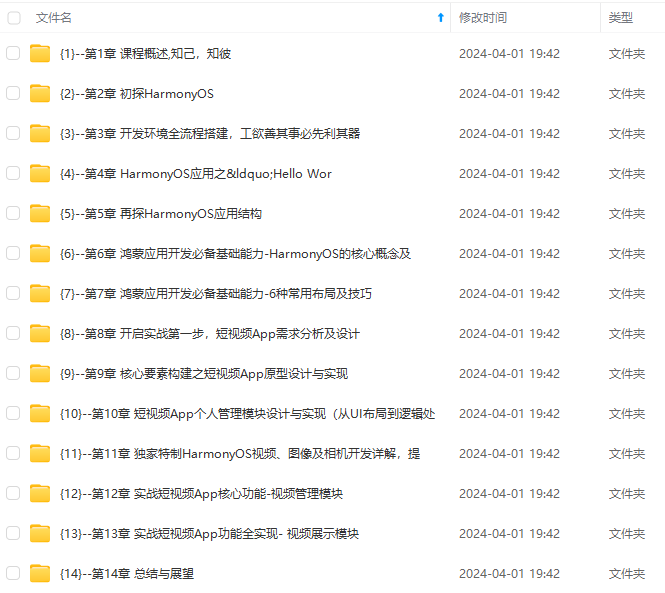
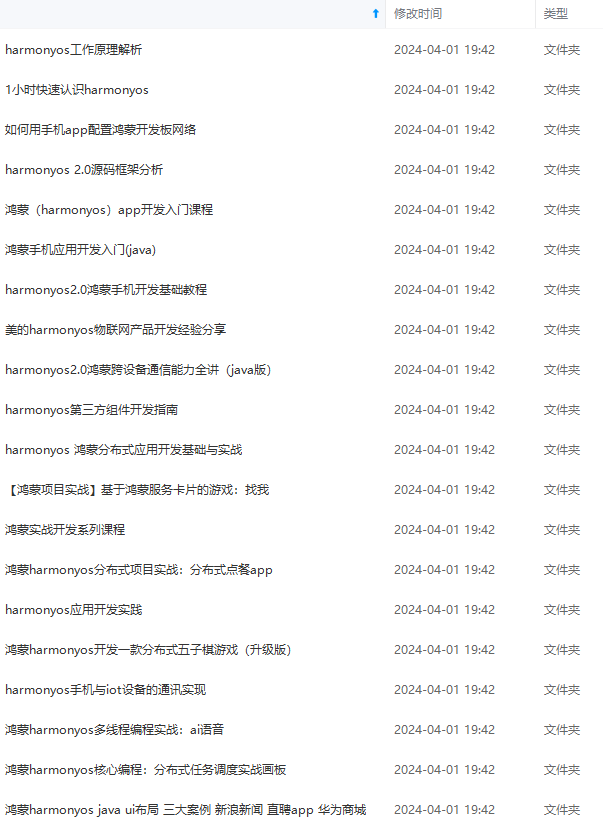
既有适合小白学习的零基础资料,也有适合3年以上经验的小伙伴深入学习提升的进阶课程,基本涵盖了95%以上HarmonyOS鸿蒙开发知识点,真正体系化!
由于文件比较大,这里只是将部分目录大纲截图出来,每个节点里面都包含大厂面经、学习笔记、源码讲义、实战项目、讲解视频,并且会持续更新
如果你觉得这些内容对你有帮助,可以添加VX:vip204888 (备注鸿蒙获取)
一个人可以走的很快,但一群人才能走的更远。不论你是正从事IT行业的老鸟或是对IT行业感兴趣的新人,都欢迎扫码加入我们的的圈子(技术交流、学习资源、职场吐槽、大厂内推、面试辅导),让我们一起学习成长!
可以添加VX:vip204888 (备注鸿蒙获取)**
[外链图片转存中…(img-M1PizufH-1712757169781)]
一个人可以走的很快,但一群人才能走的更远。不论你是正从事IT行业的老鸟或是对IT行业感兴趣的新人,都欢迎扫码加入我们的的圈子(技术交流、学习资源、职场吐槽、大厂内推、面试辅导),让我们一起学习成长!

社区规范:仅讨论OpenHarmony相关问题。
更多推荐
 17
17 0
0- 0


 已为社区贡献1条内容

所有评论(0)