鸿蒙:封装图片裁剪工具,可旋转、缩放和保存图片
本期经验分享也是跟往常一样,站在前人的肩膀上做后续的使用和优化,根据自己的需求封装代码。所以建议我们学习时,参考官方文档和示例代码,如果遇到报错问题,我们可以在华为开发者联盟社区提出问题,技术支持会给予回复。或者搜索现有的问题与答案,找寻符合解决我们问题的回复。OpenHarmony三方库中心仓。以上是个人经验分享。
·
前言:
本期经验分享也是跟往常一样,站在前人的肩膀上做后续的使用和优化,根据自己的需求封装代码。所以建议我们学习时,参考官方文档和示例代码,如果遇到报错问题,我们可以在华为开发者联盟社区提出问题,技术支持会给予回复。或者搜索现有的问题与答案,找寻符合解决我们问题的回复。
下方是我们学习和实践的参考资料:
OpenHarmony三方库中心仓 https://ohpm.openharmony.cn/#/cn/detail/@candies%2Fimage_cropper使用我的例子需要安装插件,对应的代码如下:
ohpm install @candies/image_cropper安装到鸿蒙设备上的效果如下:
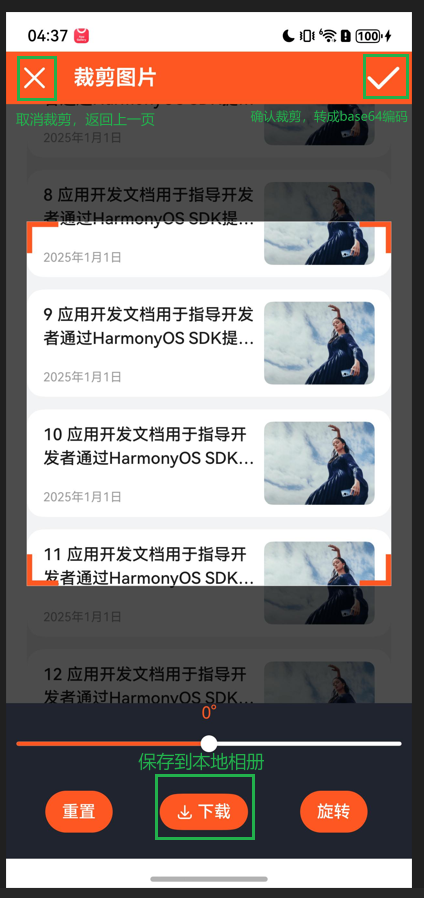
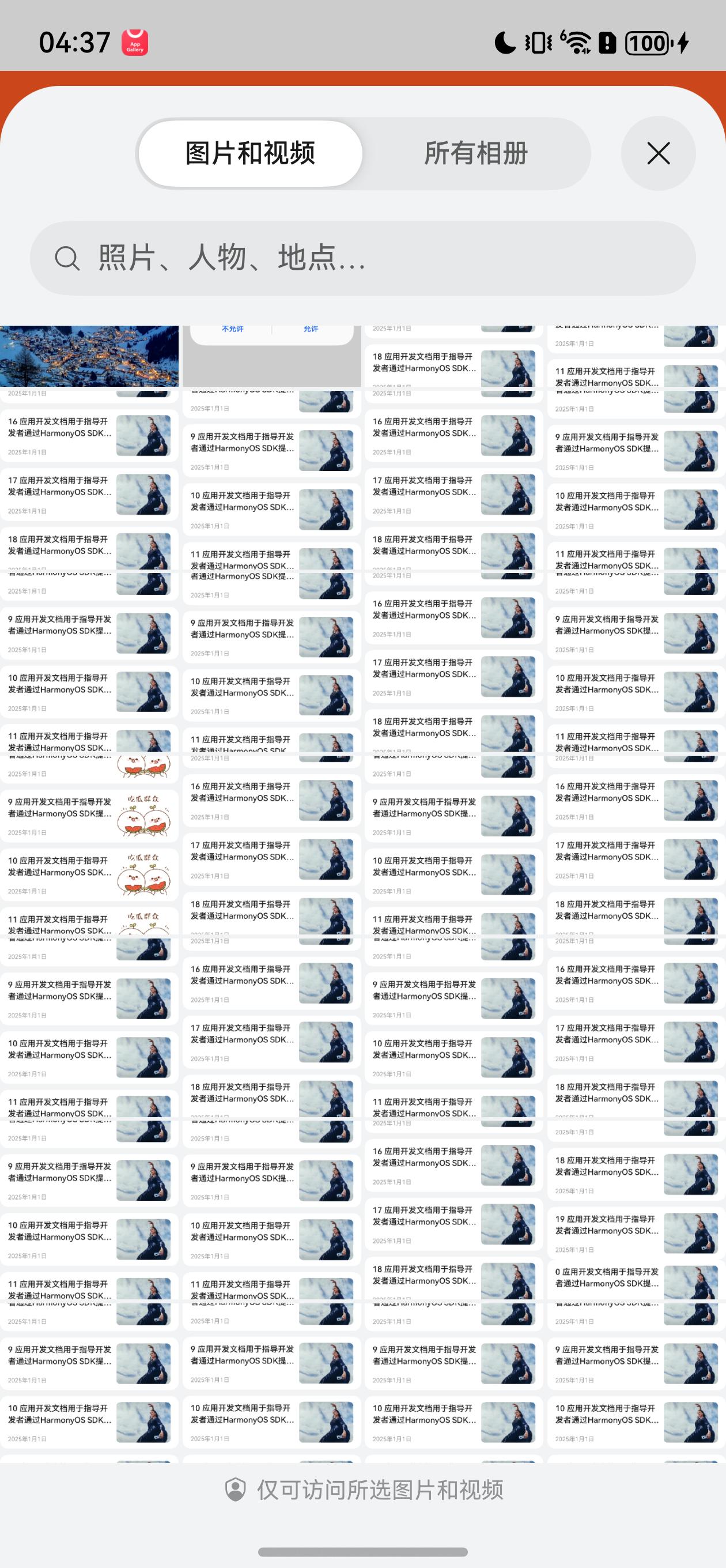
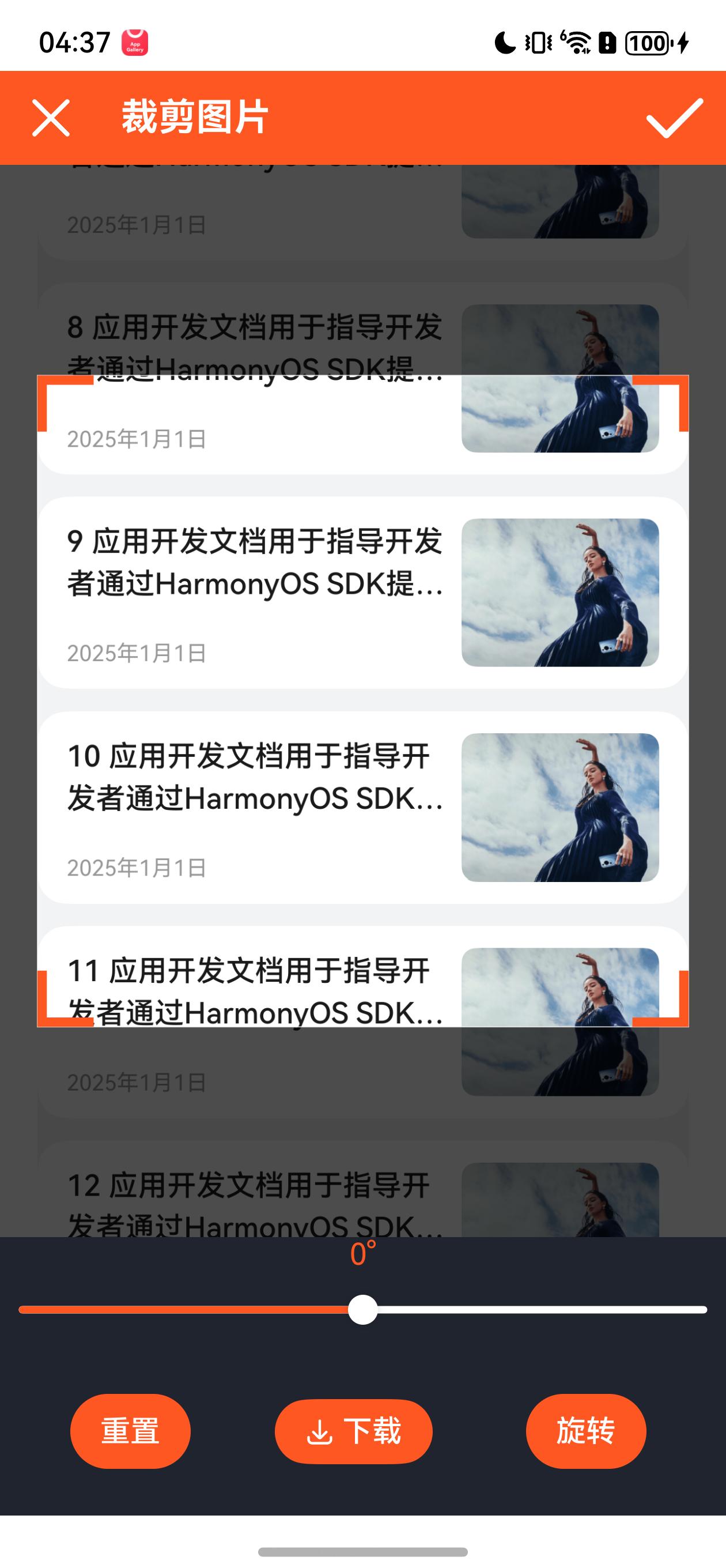
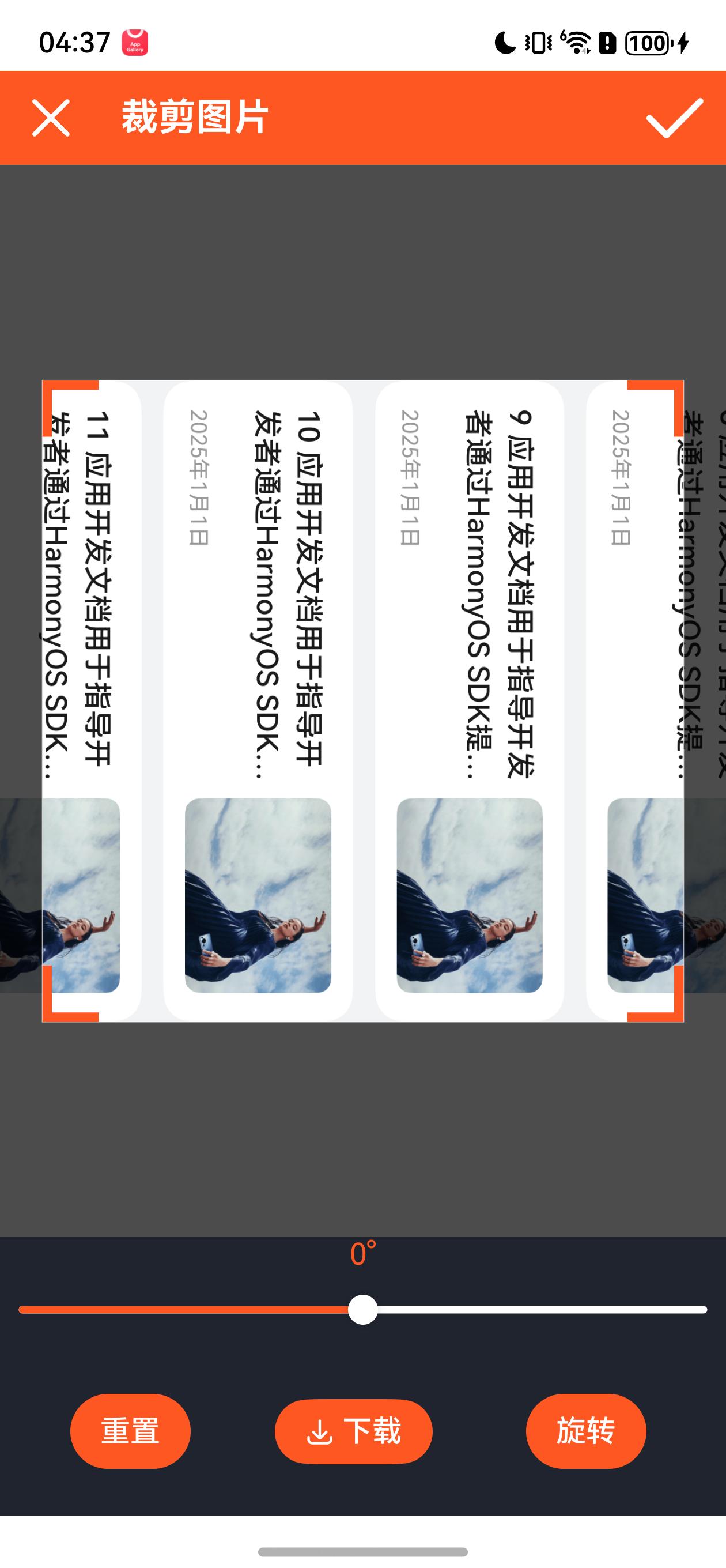
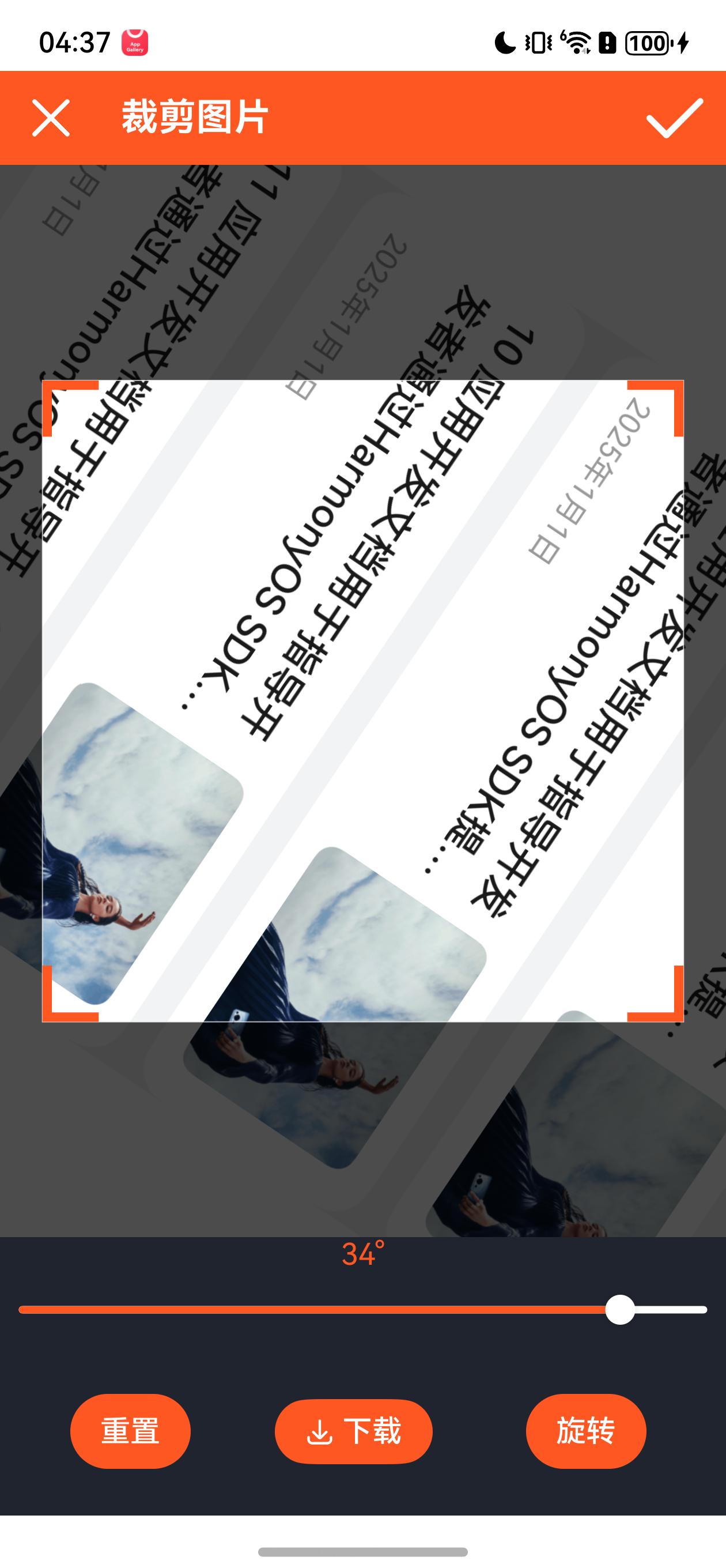

代码如下:
ImageCropperView.ets
import * as image_cropper from "@candies/image_cropper";
import { ImageCropper } from "@candies/image_cropper";
import resourceManager from '@ohos.resourceManager';
import { image } from '@kit.ImageKit';
import { vibrator } from '@kit.SensorServiceKit';
import { photoAccessHelper } from '@kit.MediaLibraryKit'
import { fileIo } from '@kit.CoreFileKit';
import { util } from "@kit.ArkTS";
import { BusinessError } from "@kit.BasicServicesKit";
import { pageInfos } from "./Index";


interface AspectRatioItem {
  text: string
  value: number | null;
}

@Builder
export function ImageCropperViewBuilder() {
  ImageCropperView()
}

@Entry
@Component
export struct ImageCropperView {
  @State image: image.ImageSource | undefined = undefined;
  dialogController: CustomDialogController | null = null;
  private controller: image_cropper.ImageCropperController = new image_cropper.ImageCropperController();
  @State currentDegree: number = 0
  @State canRedo: boolean = false;
  @State canUndo: boolean = false;
  aspectRatios: AspectRatioItem = { text: '1*1', value: image_cropper.CropAspectRatios.ratio1_1 }
  _aspectRatios: Array<AspectRatioItem> = [{ text: '1*1', value: image_cropper.CropAspectRatios.ratio1_1 }]
  @State _aspectRatio: AspectRatioItem = this.aspectRatios;
  private photoPicker = new photoAccessHelper.PhotoViewPicker();
  cropLayerPainters: Array<CropPainter> = [
    {
      painter: new image_cropper.ImageCropperLayerPainter(),
      value: '默认',
    },
    {
      painter: new CircleCornerImageCropperLayerPainter(),
      value: '圆形四角',
    },
    {
      painter: new CircleImageCropperLayerPainter(),
      value: '圆形裁剪',
    }
  ];
  @State private cropLayerPainterIndex: number = 0;
  @State _config: image_cropper.ImageCropperConfig = new image_cropper.ImageCropperConfig(
    {
      maxScale: 8,
      cropRectPadding: image_cropper.geometry.EdgeInsets.all(20),
      controller: this.controller,
      initCropRectType: image_cropper.InitCropRectType.layoutRect,
      cropAspectRatio: image_cropper.CropAspectRatios.ratio1_1,
      cropLayerPainter: this.cropLayerPainters[this.cropLayerPainterIndex].painter,
      cornerColor: "#fe5722",
      hitTestSize: 0,
      editorMaskColorHandler: () => {
        const color = "rgba(0, 0, 0,0.7)"
        return color
      }

    }
  );
  photoSize: number = 0
  imageBase64: string = ""

  aboutToAppear() {
    this.init();
    this.controller.addListener(this.controllerUpdate.bind(this))

    this.photoPicker.select({
      isOriginalSupported: true,
      maxSelectNumber: 1,
    }).then((value) => {
      if (value.photoUris.length != 0) {
        let uri = value.photoUris[0];
        let file = fileIo.openSync(uri, fileIo.OpenMode.READ_ONLY);
        console.info('file fd: ' + file.fd);
        let buffer = new ArrayBuffer(4096);
        let readLen = fileIo.readSync(file.fd, buffer);
        console.info('readSync data to file succeed and buffer size is:' + readLen);
        this.image = image.createImageSource(file.fd);
        this.currentDegree = 0;
      }
    });
  }

  controllerUpdate(): void {
    this.canRedo = this.controller.canRedo();
    this.canUndo = this.controller.canUndo();
  }

  dispose() {
    this.controller.removeListener(this.controllerUpdate.bind(this));
  }

  async init(): Promise<void> {
    const context: Context = getContext(this);
    const resourceMgr: resourceManager.ResourceManager = context.resourceManager;
    let rfd = await resourceMgr.getRawFd('hdc.jpg');

    this.image = image.createImageSource(rfd);
  }

  async readPixelMap2ArrayBuffer(pixelMap: image.PixelMap,
    packOpts: image.PackingOption): Promise<ArrayBuffer> {

    try {
      let imagePackerApi: image.ImagePacker = image.createImagePacker();
      const res = await imagePackerApi.packToData(pixelMap, packOpts);
      const result = this.arrayBuffer2Base64(res)
      const imgBase64 = "data:image/png;base64," + result
      console.log("图片base64的值" + imgBase64)

    } catch (e) {
      console.error(`Failed to pack the image.code ${e.code},message is ${e.message}`);
    }
    return new ArrayBuffer(0);
  }

  // 入参为Uint8Array
  uint8Array2Base64(uint8Array: Uint8Array): string {
    let base64Helper = new util.Base64Helper();
    return base64Helper.encodeToStringSync(uint8Array);
  }

  // 入参为ArrayBuffer,可转换为Uint8Array后再转base64
  arrayBuffer2Base64(arrayBuffer: ArrayBuffer): string {
    return this.uint8Array2Base64(new Uint8Array(arrayBuffer));
  }

  // 裁剪图片
  async cropperImage() {
    let pixelMap = await this.controller.getCroppedImage();
    if (pixelMap != null) {
      let packOpts: image.PackingOption = { format: 'image/png', quality: 100 };
      this.readPixelMap2ArrayBuffer(pixelMap, packOpts)
    }
  }

  // 取消事件
  cancel() {
    pageInfos.pop()
  }

  build() {
    NavDestination() {
      Column() {
        PageHeader({
          onConfirm: () => {
            this.cropperImage()
          },
          onCancel: () => {
            this.cancel()
          }
        })
          .backgroundColor("#fe5722")

        if (this.image != undefined) {
          ImageCropper(
            {
              image: this.image,
              config: this._config,

            }
          )
        } else {
          Column().layoutWeight(1)
        }


        Row() {
          Column() {
            Text(this.currentDegree.toFixed(0) + '°').fontColor("#fe5722")
            Slider({
              value: this.currentDegree,
              min: -45,
              max: 45,
              style: SliderStyle.OutSet,
              step: 1,

            }).selectedColor("#fe5722")
              .trackColor(Color.White)
              .onChange((value: number, mode: SliderChangeMode) => {
                this.controller.rotate({
                  degree: value - this.currentDegree
                })
                this.currentDegree = value
                vibrator.startVibration({
                  type: 'time',
                  duration: 100,
                }, {
                  id: 0,
                  usage: 'alarm'
                })
              })

            Row({ space: 40 }) {
              Column() {
                Button("重置")
                  .backgroundColor("#fe5722")
              }.onClick(() => {
                this.currentDegree = 0;
                this._aspectRatio = this.aspectRatios;
                this.cropLayerPainterIndex = 0;
                this._config = this._config.copyWith({
                  cropLayerPainter: this.cropLayerPainters[this.cropLayerPainterIndex].painter,
                  cropAspectRatio: this._aspectRatio.value,
                })
                this.controller.reset();
              })

              Column() {
                SaveButton(
                  {
                    icon: SaveIconStyle.FULL_FILLED,
                    text: SaveDescription.SAVE_IMAGE,
                    buttonType: ButtonType.ROUNDED_RECTANGLE,
                  }
                )
                  .backgroundColor("#fe5722")
                  .onClick(async (event, result: SaveButtonOnClickResult) => {
                    if (result == SaveButtonOnClickResult.SUCCESS) {
                      try {
                        let pixelMap = await this.controller.getCroppedImage();
                        if (pixelMap != null) {
                          let context: Context = getContext(this);
                          let helper = photoAccessHelper.getPhotoAccessHelper(context);
                          let uri = await helper.createAsset(photoAccessHelper.PhotoType.IMAGE, 'jpeg');
                          let file = await fileIo.open(uri, fileIo.OpenMode.READ_WRITE | fileIo.OpenMode.CREATE);
                          let imagePackerApi = image.createImagePacker();
                          let packOpts: image.PackingOption = { format: 'image/jpeg', quality: 98 };

                          imagePackerApi.packToFile(pixelMap, file.fd, packOpts, (err: BusinessError) => {
                            if (err) {
                              console.error(`Failed to pack the image to file.code ${err.code},message is ${err.message}`);
                            } else {
                              console.info('Succeeded in packing the image to file.');
                              imagePackerApi.release((err: BusinessError) => {
                                if (err) {
                                  console.error(`Failed to release the image source instance.code ${err.code},message is ${err.message}`);
                                } else {
                                  console.info('Succeeded in releasing the image source instance.');
                                  fileIo.close(file.fd);
                                }
                              })
                              this.getUIContext().getPromptAction().showToast({ message: "保存成功!" })
                            }
                          })
                        }

                      } catch (err) {
                        console.error(`create asset failed with error: ${err.code}, ${err.message}`);
                      }
                    } else {
                      console.error('SaveButtonOnClickResult create asset failed');
                    }
                  })
              }.margin(5)

              Column() {
                Button("旋转")
                  .backgroundColor("#fe5722")
              }.onClick(() => {
                this.controller.rotate(
                  {
                    degree: 90,
                    animation: true,
                  }
                );
              }).margin(5)
            }
            .padding({ top: 20, bottom: 20 })
            .width("100%")
            .justifyContent(FlexAlign.Center)
          }
          .backgroundColor("#20242f")
          .layoutWeight(1)

        }

      }

      .height('100%')
      .width('100%')

    }
    .hideTitleBar(true)
  }
}

interface CropPainter extends SelectOption {
  painter: image_cropper.ImageCropperLayerPainter;
}


export class CircleCornerImageCropperLayerPainter extends image_cropper.ImageCropperLayerPainter {
  paintCorners(config: image_cropper.ImageCropperLayerPainterConfig): void {
    const cropRect = config.cropRect;
    const canvas = config.canvas;
    const radius = 6;
    canvas.save();
    canvas.fillStyle = config.cornerColor;
    canvas.beginPath()
    canvas.arc(cropRect.topLeft.dx, cropRect.topLeft.dy, radius, 0, Math.PI * 2)
    canvas.fill();
    canvas.closePath();

    canvas.beginPath()
    canvas.arc(cropRect.topRight.dx, cropRect.topRight.dy, radius, 0, Math.PI * 2)
    canvas.fill();
    canvas.closePath();


    canvas.beginPath()
    canvas.arc(cropRect.bottomRight.dx, cropRect.bottomRight.dy, radius, 0, Math.PI * 2)
    canvas.fill();
    canvas.closePath();
    canvas.beginPath()
    canvas.arc(cropRect.bottomLeft.dx, cropRect.bottomLeft.dy, radius, 0, Math.PI * 2)
    canvas.fill();
    canvas.closePath();
    canvas.restore();

  }
}

export class CircleImageCropperLayerPainter extends image_cropper.ImageCropperLayerPainter {
  protected paintCorners(config: image_cropper.ImageCropperLayerPainterConfig): void {
    // do nothing
  }

  protected paintMask(config: image_cropper.ImageCropperLayerPainterConfig): void {
    const cropRect = config.cropRect;
    const maskColor = config.maskColor;
    const canvas = config.canvas;
    const rect = config.layoutRect;
    canvas.save();
    canvas.fillStyle = maskColor;
    canvas.beginPath();
    canvas.moveTo(rect.left, rect.top);
    canvas.lineTo(rect.left, rect.bottom);
    canvas.lineTo(rect.right, rect.bottom);
    canvas.lineTo(rect.right, rect.top);
    canvas.lineTo(rect.left, rect.top);
    canvas.arc(cropRect.center.dx, cropRect.center.dy, Math.min(cropRect.width, cropRect.height) / 2, 0, Math.PI * 2)
    canvas.fill();
    canvas.closePath();
    canvas.restore();
  }

  protected paintLines(config: image_cropper.ImageCropperLayerPainterConfig): void {
    if (config.pointerDown) {
      const cropRect = config.cropRect;
      const canvas = config.canvas;
      canvas.save();
      canvas.beginPath();
      canvas.arc(cropRect.center.dx, cropRect.center.dy, Math.min(cropRect.width, cropRect.height) / 2, 0, Math.PI * 2)
      canvas.clip()
      canvas.closePath();
      super.paintLines(config);
      canvas.restore();
    }
  }
}


@Component
export struct PageHeader {
  onCancel: Function = () => {
  }; //取消按钮事件
  onConfirm: Function = () => {
  }; //确认按钮事件

  build() {

    Flex({ justifyContent: FlexAlign.Center, alignItems: ItemAlign.Center }) {
      Image($r('app.media.CancelBtn_Img')).width(40).fillColor(Color.White)
        .onClick(() => {
          this.onCancel();
        })
      Column() {
        Text('裁剪图片')
          .fontSize(20)
          .fontWeight(FontWeight.Bold)
          .fontColor(Color.White)
      }

      .alignItems(HorizontalAlign.Start)
      .padding({ left: 20 })
      .width('calc(100% - 24vp)')

      Image($r('app.media.ConfirmBtn_Img')).width(40).fillColor(Color.White)
        .onClick(() => {
          this.onConfirm()
        })
    }

    .padding({ left: 10, right: 10 })
    .height(50)
    .width('100%')
  }
}
以上是个人经验分享。

社区规范:仅讨论OpenHarmony相关问题。
更多推荐
 3
3 0
0- 0


 已为社区贡献2条内容

所有评论(0)