Rockchip芯片OpenHarmony标准系统fastboot模式适配文档
说明:
文章由移远通信技术股份有限公司提供
以下内容包含了个人理解,仅供参考,如有不合理处,请联系笔者修改13677951658(微信同号)
概述
本文档描述了如何在Rockchip芯片的OpenHarmony标准系统中适配fastboot模式,包括rk u-boot层和oh init层的修改。
写作环境
- Rockchip芯片
- OpenHarmony标准系统:5.0.3
1. 背景
fastboot是一种USB刷机协议,允许用户通过USB连接将设备连接到主机,并使用fastboot工具刷写分区镜像。在OpenHarmony系统中,需要通过MISC分区传递启动命令,让u-boot进入fastboot模式。
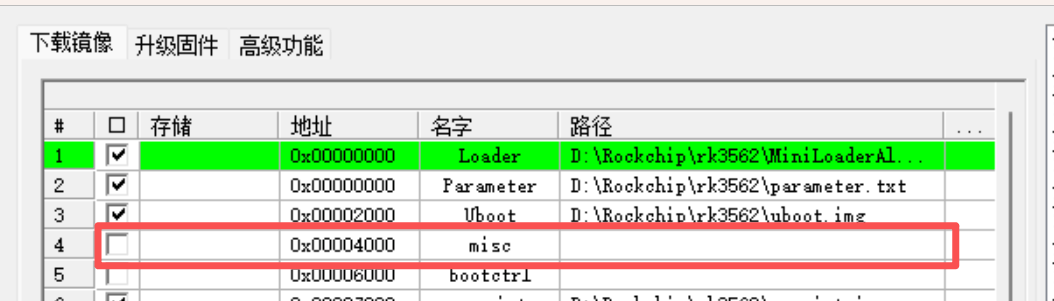
1.1 rk uboot手动进入fastboot模式。
将rk设备调试串口连接到电脑,开机,然后开机进入uboot阶段的时,快速在MobaXterm窗口按下Ctrl+C键,进入U-Boot命令行(提示符为 =>)后,就可以执行命令来启动Fastboot了
在 => 提示符后输入以下命令并回车:
fastboot usb 0
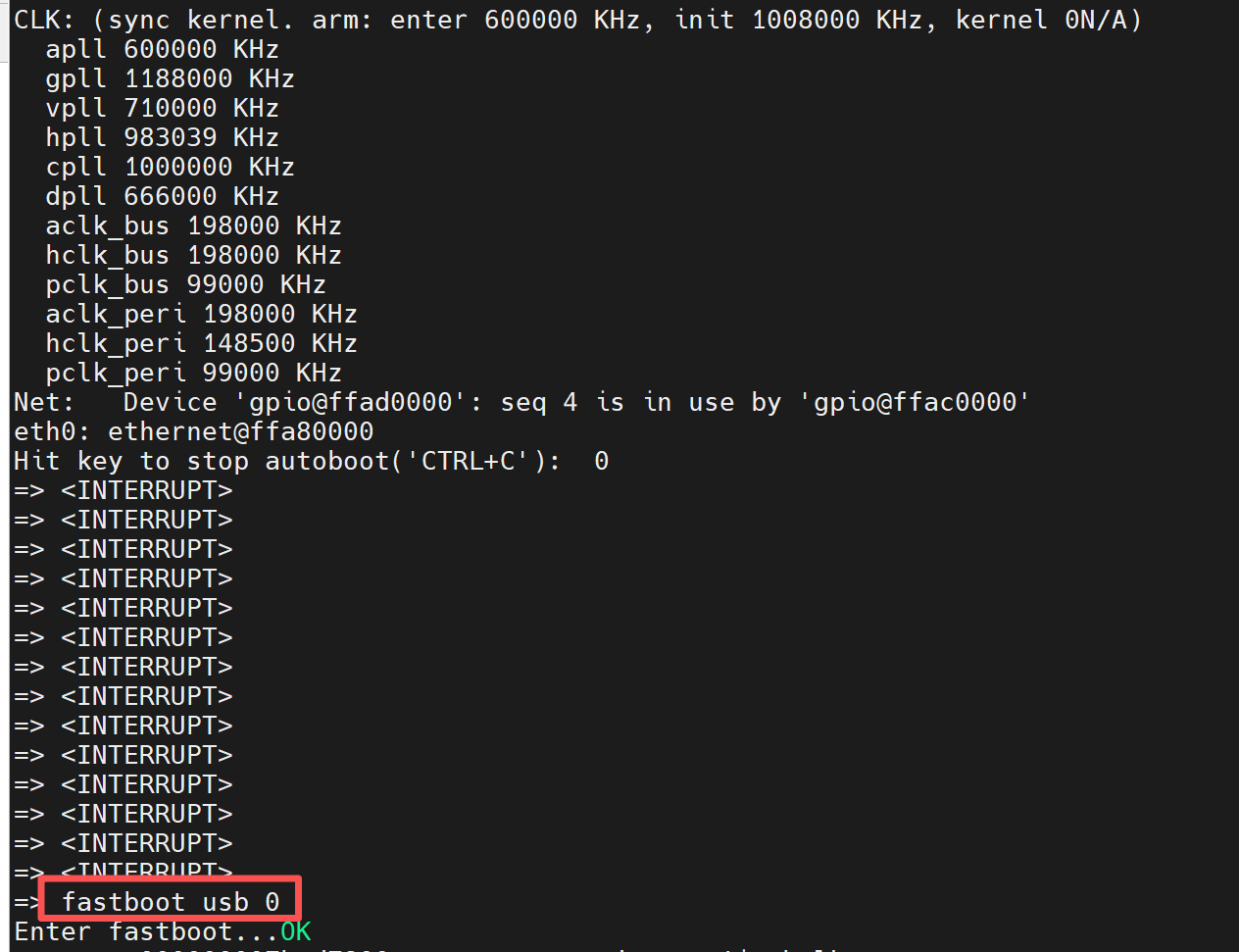
此时设备已经进入fastboot模式,
将rk设备 otg usb口连接到电脑,然后在电脑(win11)上打开设备管理器。会发现有一个usb设备
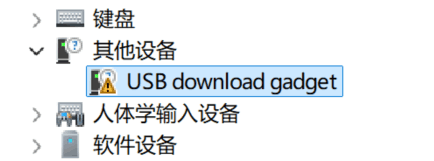
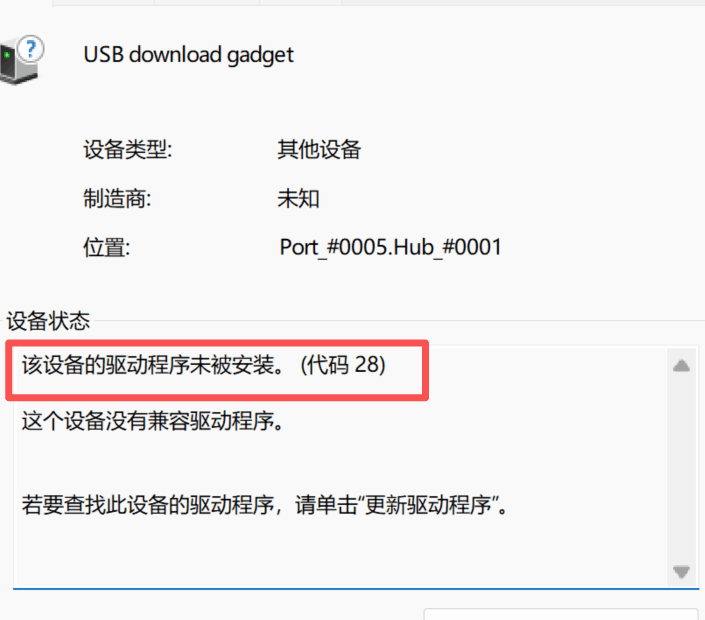
然后根据这个 https://www.e-com-net.com/article/1745296412997861376.htm 文章,选择手动安装fastboot驱动 usb_driver_r13-windows.zip
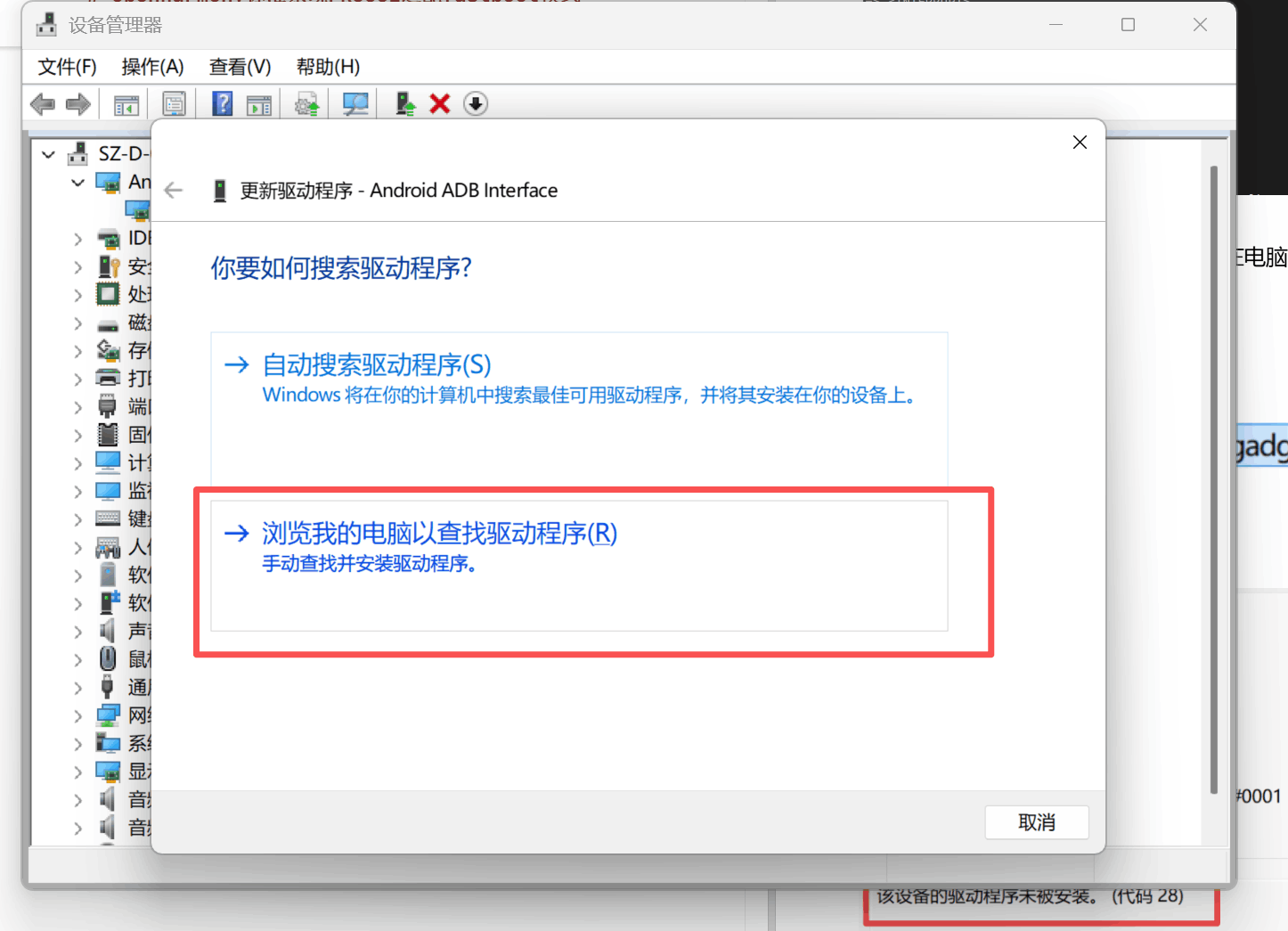
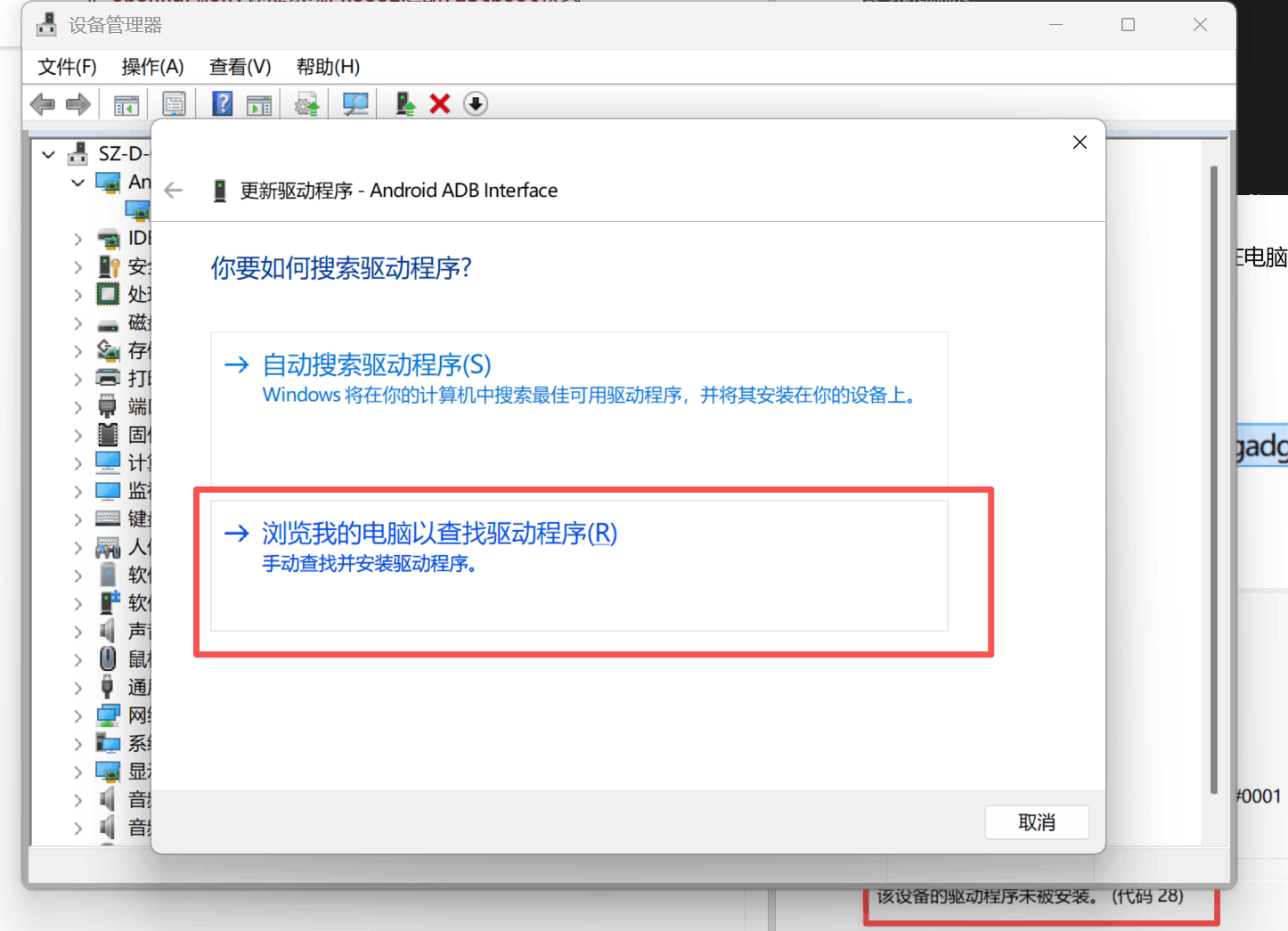
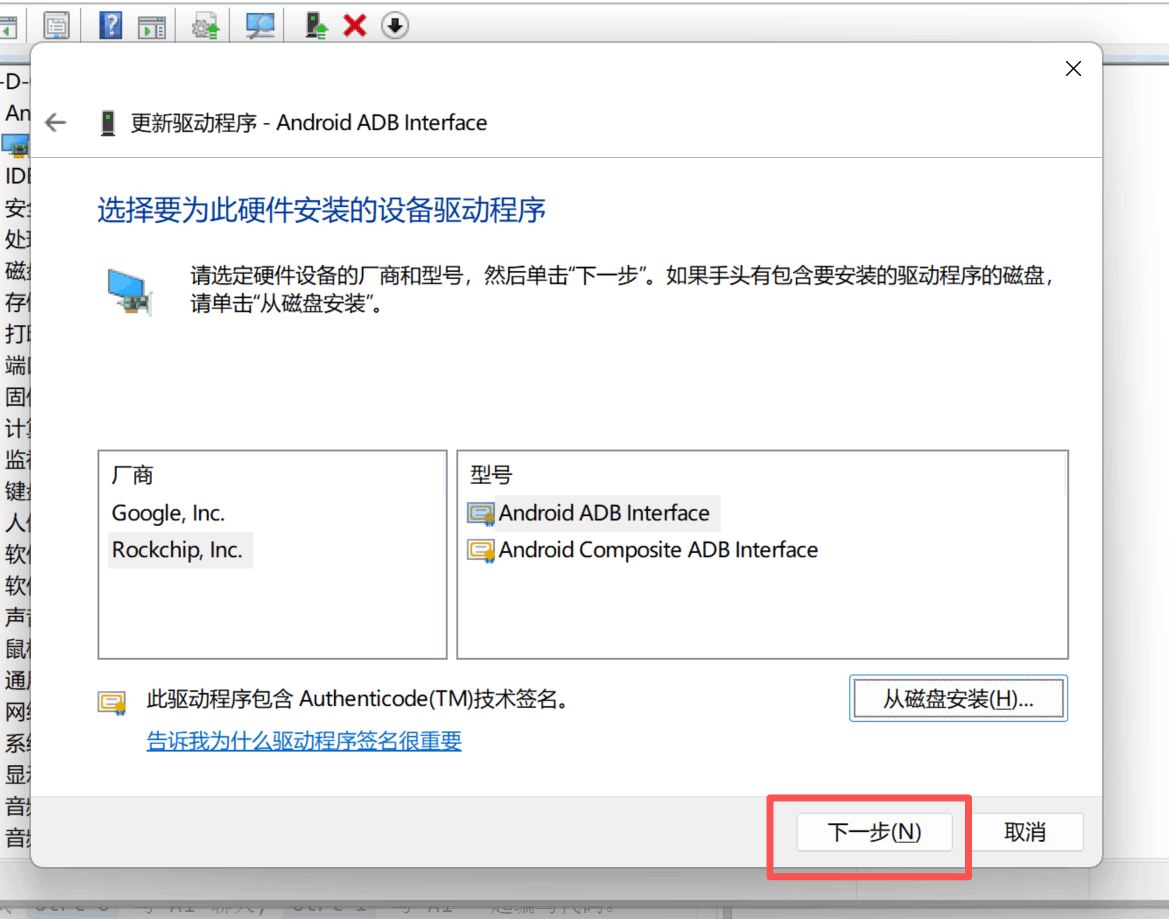
驱动安装成功就能在设备管理器中看到android设备
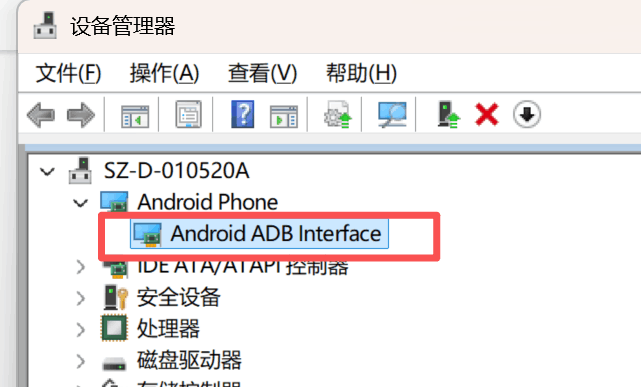
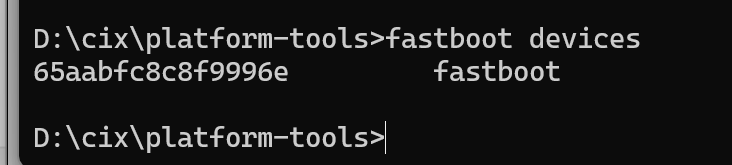
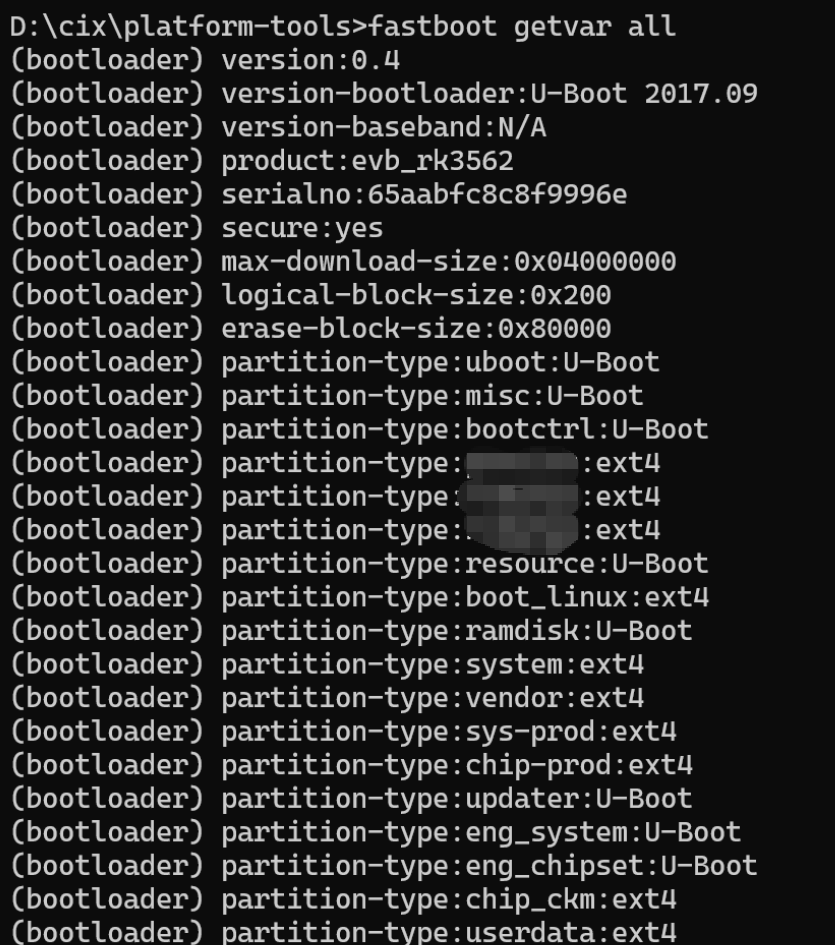
然后使用谷歌提供的工具包platform-tools.zip,然后使用fastboot命令就能看见fastboot设备
2. 实现思路
fastboot模式适配的核心思路是通过MISC分区作为系统和u-boot之间的通信桥梁,实现设备重启后进入fastboot模式。具体实现分为两个层面:
2.1 系统层(init)
- 在init进程中添加
reboot fastboot命令支持 - 当用户执行
reboot fastboot时,将特定的命令字符串(boot_rk_fastboot)写入MISC分区的command字段 - 然后执行系统重启
2.2 Bootloader层(u-boot)
- 在u-boot启动流程中添加MISC分区检测逻辑
- 读取MISC分区的command字段,判断是否为
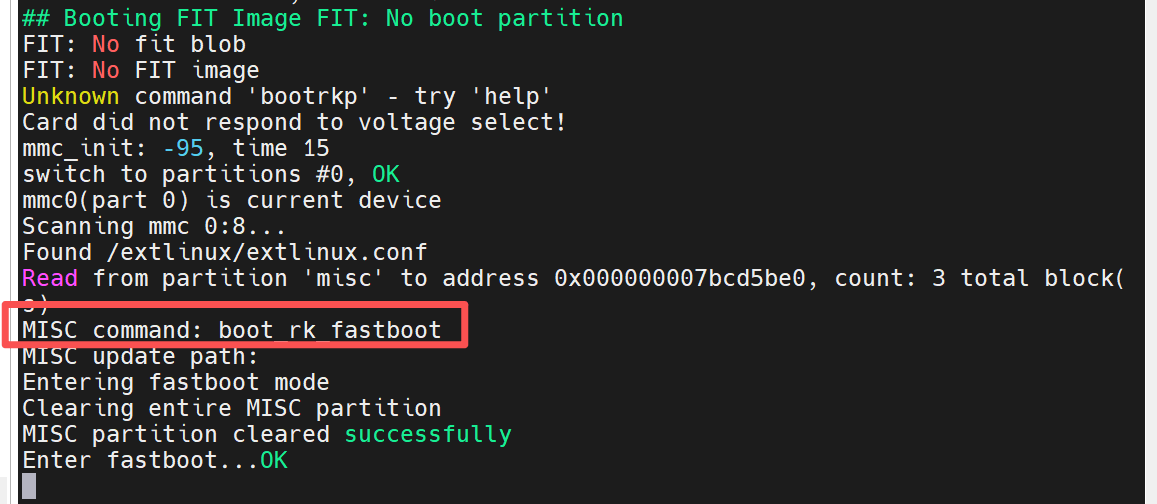
boot_rk_fastboot - 如果是,则先清空MISC分区(防止重复进入fastboot),然后执行
fastboot usb 0命令进入fastboot模式 - 如果不是,则正常启动系统
2.3 整体流程
用户执行 reboot fastboot
        ↓
init层写入 "boot_rk_fastboot" 到MISC分区
        ↓
系统重启
        ↓
u-boot读取MISC分区command字段
        ↓
判断是否为 "boot_rk_fastboot"
        ↓
    是 → 清空MISC分区 → 进入fastboot模式
    否 → 正常启动系统
3. 修改内容
3.1 u-boot层修改
文件路径: u-boot/cmd/pxe.c ,具体修改可以参考笔者开源适配的oh u-boot rk3568的源码 https://gitee.com/OpenHarmony_rk_equipment_transplantation/uboot-rk-openharmony/commit/4462f213497f19f26084ebeebb16380351ceaa6f
3.1.1 添加宏定义
在文件中找到MISC_COMMAND_UPDATER定义的位置,添加新的宏定义:
#define MISC_COMMAND_UPDATER "boot_updater"
#define MISC_COMMAND_BOOT_FLASH "boot_rk_fastboot"
3.1.2 添加清空MISC分区函数
添加clear_misc_command()函数,用于清空整个MISC分区:
/* Clear entire MISC partition */
static int clear_misc_command(void)
{
        struct blk_desc *desc = rockchip_get_bootdev();
        disk_partition_t part_misc;
        long blk_cnt = 0, blks_written = 0;
        long blk_start = 0;
        void *zero_buf = NULL;
        int ret = -1;

        /* Get MISC partition info */
        if (part_get_info_by_name(desc, "misc", &part_misc) < 0) {
                printf("No misc partition\n");
                return -1;
        }

        /* Allocate zero buffer for entire MISC partition */
        blk_cnt = DIV_ROUND_UP(sizeof(struct UpdateMessage), part_misc.blksz);
        zero_buf = malloc(blk_cnt * part_misc.blksz);
        if (!zero_buf) {
                printf("Failed to allocate buffer for misc partition\n");
                return -1;
        }

        /* Clear buffer to zero */
        memset(zero_buf, 0, blk_cnt * part_misc.blksz);
        printf("Clearing entire MISC partition\n");

        /* Write zero buffer to MISC partition */
        blk_start = part_misc.start;
        blks_written = blk_dwrite(desc, blk_start, blk_cnt, zero_buf);
        if (blks_written != blk_cnt) {
                printf("Failed to write misc partition\n");
                goto out;
        }

        printf("MISC partition cleared successfully\n");
        ret = 0;

out:
        free(zero_buf);
        return ret;
}
3.1.3 添加fastboot模式检测函数
添加is_fastboot_mode()函数,用于检测是否需要进入fastboot模式:
/* Check if we should enter fastboot mode */
static int is_fastboot_mode(void)
{
        char command[32]; /* Size matches UpdateMessage.command field */

        if (read_misc_command(command, sizeof(command)) != 0) {
                return 0;
        }

        /* Check if command is "boot_flash" */
        if (strcmp(command, MISC_COMMAND_BOOT_FLASH) == 0) {
                printf("Entering fastboot mode\n");
                return 1;
        }

        return 0;
}
3.1.4 修改启动流程
在do_sysboot()函数开头添加fastboot模式检测:
static int do_sysboot(cmd_tbl_t *cmdtp, int flag, int argc, char * const argv[])
{
    ...
    is_pxe = false;

    /* Check if we should enter fastboot mode */
    if (is_fastboot_mode()) {
        //进入fastboot模式前,清空misc分区
        clear_misc_command();
        //进入fastboot模式
        run_command("fastboot usb 0", 0);
        return 0;
    }
    ...
}
3.2 init层修改
文件路径: base/startup/init/services/modules/reboot/reboot.c
3.2.1 添加fastboot重启处理函数
添加DoRebootFastboot()函数:
PLUGIN_STATIC int DoRebootFastboot(int id, const char *name, int argc, const char **argv)
{
    UNUSED(id);
    PLUGIN_LOGI("DoRebootFastboot argc %d %s", argc, name);
    PLUGIN_CHECK(argc >= 1, return -1, "Invalid parameter");
    PLUGIN_LOGI("DoRebootFastboot argv %s", argv[0]);
#ifndef OHOS_LITE
    ReportStartupReboot(argv[0]);
#endif
    int ret = UpdateMiscMessage(argv[0], "fastboot", "fastboot:", "boot_rk_fastboot");
    if (ret == 0) {
        return DoRoot_("reboot", RB_AUTOBOOT);
    }
    return ret;
}
3.2.2 注册fastboot命令
在RebootAdpInit()函数中注册fastboot命令:
static void RebootAdpInit(void)
{
    // add default reboot cmd
    (void)AddCmdExecutor("reboot", DoReboot);
    (void)AddCmdExecutor("reboot.other", DoRebootOther);
    AddRebootCmdExecutor("shutdown", DoRebootShutdown);
    AddRebootCmdExecutor("flashd", DoRebootFlashed);
    AddRebootCmdExecutor("fastboot", DoRebootFastboot);  // 添加这一行
    AddRebootCmdExecutor("updater", DoRebootUpdater);
    AddRebootCmdExecutor("charge", DoRebootCharge);
    AddRebootCmdExecutor("suspend", DoRebootSuspend);
    AddRebootCmdExecutor("panic", DoRebootPanic);
    (void)AddCmdExecutor("panic", DoRebootPanic);
}
4. 工作流程
- 触发fastboot模式: 在OpenHarmony系统中执行
reboot fastboot命令 - 写入MISC分区: init模块调用
UpdateMiscMessage()将MISC分区的command字段设置为boot_rk_fastboot - 重启设备: 系统执行重启
- u-boot检测: u-boot启动时读取MISC分区,检测到command为
boot_rk_fastboot - 清空MISC分区: 进入fastboot模式前,先清空整个MISC分区,避免重复进入fastboot
- 进入fastboot模式: u-boot执行
fastboot usb 0命令,进入fastboot模式等待主机连接
5. 使用方法
在OpenHarmony设备的shell中执行:
reboot fastboot
设备将重启并进入fastboot模式,此时可以使用主机的fastboot工具进行刷机操作:
fastboot devices          # 查看连接的设备
fastboot flash boot boot.img    # 刷写boot分区
fastboot flash system system.img # 刷写system分区
fastboot reboot           # 重启设备退出fastboot模式
6. MISC分区数据结构
MISC分区用于在系统和u-boot之间传递启动命令和状态信息。以下是MISC分区数据结构定义(以reboot_misc.c中的定义为准):
5.1 init层数据结构
文件路径: base/startup/init/services/modules/reboot/reboot_misc.c
#define MAX_COMMAND_SIZE 32
#define MAX_UPDATE_SIZE 1280
#define MAX_RESERVED_SIZE 736

struct RBMiscUpdateMessage {
    char command[MAX_COMMAND_SIZE];
    char update[MAX_UPDATE_SIZE];
    char reserved[MAX_RESERVED_SIZE];
};
5.2 u-boot层数据结构
文件路径: device/board/hihope/rk3562/uboot_build/u-boot/cmd/pxe.c
/* MISC partition structure definition */
#define MAX_COMMAND_SIZE 32
#define MAX_STATUS_SIZE 32
#define MAX_UPDATE_SIZE 768
#define MAX_STAGE_SIZE 32
#define MAX_FAULTINFO_SIZE 32
#define MAX_RESERVED_SIZE 224

struct UpdateMessage {
    char command[MAX_COMMAND_SIZE];
    char status[MAX_STATUS_SIZE];
    char update[MAX_UPDATE_SIZE];
    char stage[MAX_STAGE_SIZE];
    char faultinfo[MAX_FAULTINFO_SIZE];
    char reserved[MAX_RESERVED_SIZE];
};
5.3 字段说明
init层结构体(RBMiscUpdateMessage):
| 字段名 | 大小 | 说明 |
|---|---|---|
| command | 32字节 | 启动命令,如boot_updater、boot_flash、boot_rk_fastboot等 |
| update | 1280字节 | 更新包路径或其他附加信息 |
| reserved | 736字节 | 保留字段,用于未来扩展 |
总大小: 32 + 1280 + 736 = 2048字节
5.4 常用命令值
| 命令值 | 说明 |
|---|---|
boot_updater |
进入updater升级模式 |
boot_flash |
进入flashd刷机模式 |
boot_rk_fastboot |
进入fastboot模式 |
boot_charge |
进入充电模式 |
7. 注意事项
- MISC分区需要有足够的空间存储
RBMiscUpdateMessage结构体(至少2048字节) - u-boot层和init层的结构体定义大小不同,但command字段位置相同,可以正常解析
- 进入fastboot模式前会自动清空MISC分区,防止重复进入fastboot模式
- fastboot模式需要USB连接支持,确保设备USB接口正常工作
8. 相关文件
device/board/hihope/rk3562/uboot_build/u-boot/cmd/pxe.c- u-boot启动逻辑base/startup/init/services/modules/reboot/reboot.c- init重启命令处理base/startup/init/services/modules/reboot/reboot_misc.c- MISC分区操作
9. 调试方法
- 查看u-boot日志: 通过串口查看u-boot启动日志,确认是否正确读取MISC分区
- 检查MISC分区内容: 在u-boot命令行使用
mmc read和md命令查看MISC分区数据 - init日志: 查看init进程的日志输出,确认
UpdateMiscMessage是否成功
10. 总结
通过在u-boot层添加fastboot模式检测和MISC分区清空逻辑,在init层添加fastboot重启命令,实现了Rockchip芯片OpenHarmony标准系统的fastboot模式适配。用户可以通过简单的reboot fastboot命令进入fastboot模式进行刷机操作。

社区规范:仅讨论OpenHarmony相关问题。
更多推荐
 3
3 1
1- 0


 已为社区贡献148条内容

所有评论(0)