小白3天精通跨平台React Native鸿蒙开发:Linking如何实现Universal Links(内置 URL Schemes)
React Native的Linking模块提供了处理URL链接的通用接口,支持内置URL Schemes(如https、mailto)和自定义Deep Links。通过Linking.canOpenURL()检查URL兼容性,再使用Linking.openURL()安全打开链接。示例代码展示了如何创建可复用按钮组件,优雅处理网页链接和自定义Scheme(如slack://)。该机制采用"
Linking
Linking提供了一个通用的接口来与传入和传出的 App 链接进行交互。
每个链接(URL)都有一个 URL Scheme,有些网站以 https:// 或 http:// 为前缀,而 http 就是 URL Scheme。我们简称它为 scheme。
除了 https,你可能还熟悉 mailto scheme。当您打开带有 mailto scheme 的链接时,操作系统将打开已安装的邮件应用程序。同样,也有打电话和发短信的 schemes。阅读下面关于内置 URL schemes 方案的更多信息。
与使用 mailto scheme 一样,可以通过使用自定义 url scheme 链接到其他应用程序。例如,当你收到一封来自 Slack 的 Magic Link 邮件时,Launch Slack 按钮是一个 anchor 标记,带有一个 href,看起来类似与 slack://secret/magic-login/other-secret。就像 Slack 一样,你可以告诉操作系统你想要处理一个自定义 scheme。当 Slack 应用程序打开时,它会接收用于打开它的 URL。这通常被称为 Deep Links。阅读更多关于如何获得 Deep Links 到你的应用程序。
自定义 URL scheme 并不是在手机上打开应用程序的唯一方式。您不希望在电子邮件中的链接中使用自定义 URL scheme,因为这样链接在桌面上就会断开。相反,你想使用常规的 https 链接,如 https://www.myapp.io/records/1234546。在移动设备上,你希望这个链接打开你的应用程序。Android 称之为 Deep Links (Universal Links - iOS)。
内置 URL Schemes
正如在介绍中提到的,每个平台上都存在一些核心功能的 URL schemes。以下是一个非详尽的列表,但涵盖了最常用的方案。
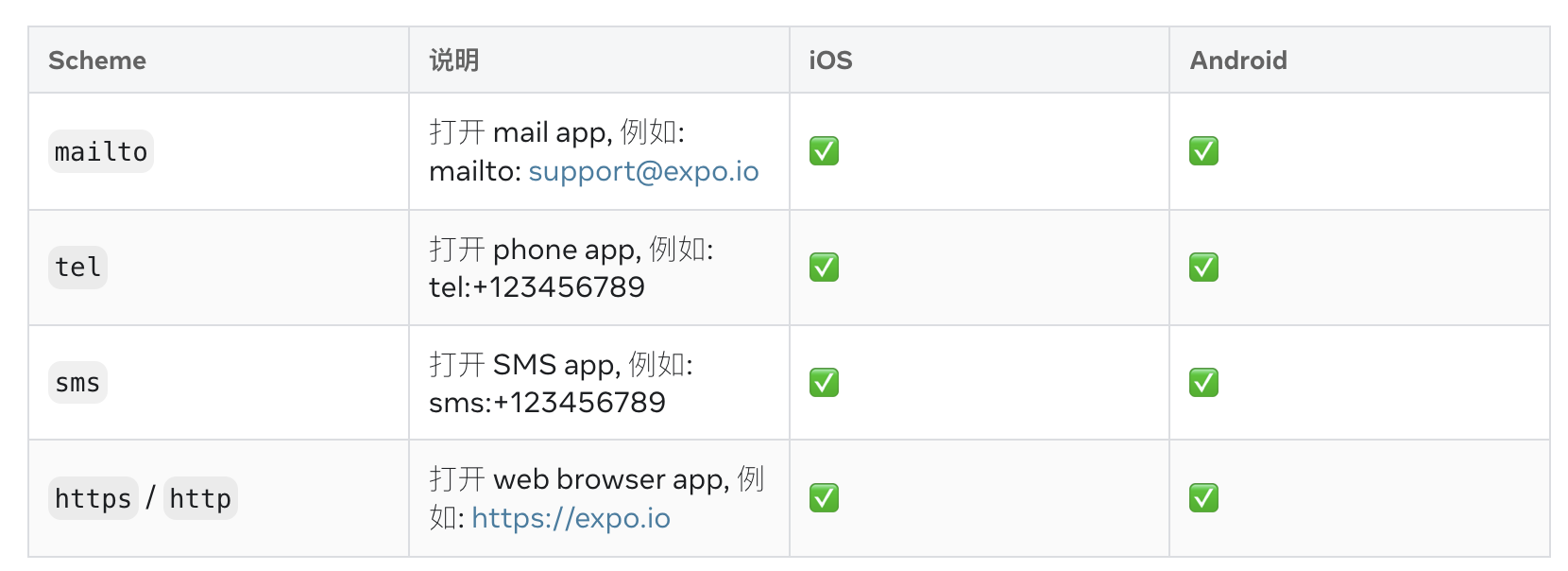
在React Native中,如果你想让应用能够处理内置的URL Schemes(例如,通过react-native-link库或者在iOS/Android原生部分处理),你可以采取不同的策略来实现。内置URL Schemes通常指的是自定义的URL协议,例如myapp://some/path,这种URL可以被你的应用拦截和处理。
方法一:使用react-native-url-polyfill
如果你正在使用Web环境(例如WebView),你可以使用react-native-url-polyfill库来处理URL Schemes。
-
安装库
npm install react-native-url-polyfill -
在入口文件中配置
在你的应用入口文件(通常是
index.js或App.js)中,引入并配置这个库:import 'react-native-url-polyfill/auto'; -
处理URL
你可以在Web组件中使用
window.location或者直接使用JavaScript的location对象来处理URL。例如:function handleURL() { if (window.location.href.startsWith('myapp://')) { // 处理自定义的URL const path = window.location.href.replace('myapp://', ''); console.log('Handling path:', path); } }
实际案例演示:
import React, {useCallback} from 'react';
import {Alert, Button, Linking, StyleSheet, View} from 'react-native';

const supportedURL = 'https://google.com';

const unsupportedURL = 'slack://open?team=123456';

type OpenURLButtonProps = {
  url: string;
  children: string;
};

const OpenURLButton = ({url, children}: OpenURLButtonProps) => {
  const handlePress = useCallback(async () => {
    // Checking if the link is supported for links with custom URL scheme.
    const supported = await Linking.canOpenURL(url);

    if (supported) {
      // Opening the link with some app, if the URL scheme is "http" the web link should be opened
      // by some browser in the mobile
      await Linking.openURL(url);
    } else {
      Alert.alert(`Don't know how to open this URL: ${url}`);
    }
  }, [url]);

  return <Button title={children} onPress={handlePress} />;
};

const App = () => {
  return (
    <View style={styles.container}>
      <OpenURLButton url={supportedURL}>Open Supported URL</OpenURLButton>
      <OpenURLButton url={unsupportedURL}>Open Unsupported URL</OpenURLButton>
    </View>
  );
};

const styles = StyleSheet.create({
  container: {
    flex: 1,
    justifyContent: 'center',
    alignItems: 'center',
  },
});

export default App;
这段代码实现了一个React Native组件,用于安全地处理不同格式的URL链接,核心在于利用Linking模块的canOpenURL方法进行兼容性检查,确保应用能够优雅地处理自定义URL Scheme或网页链接。
OpenURLButton组件接收一个url属性,并通过useCallback优化了按钮的点击事件处理函数handlePress。handlePress首先调用Linking.canOpenURL(url)异步检测当前设备是否能处理该URL(例如识别slack://或http://等协议)。如果支持,则调用Linking.openURL(url)尝试打开链接;如果不支持,则通过Alert提示用户无法打开该URL。这种“先检查后执行”的机制有效避免了因尝试打开不支持的协议而导致的崩溃或异常,提升了用户体验。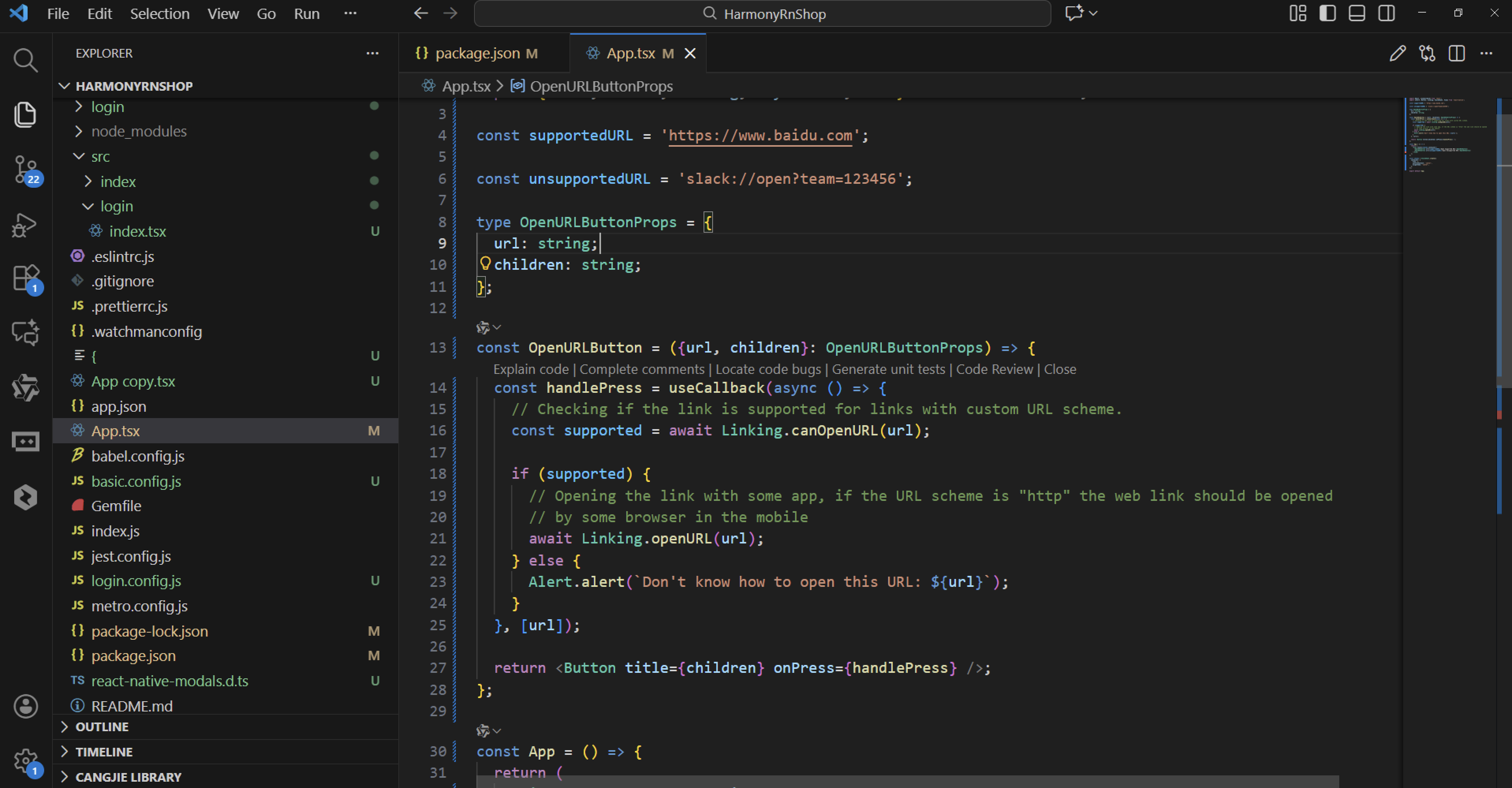
组件接收的children属性作为按钮显示文本,使得按钮内容可定制,增加了灵活性。
在App组件中,演示了如何同时使用两个OpenURLButton:一个指向网页URL(如https://google.com),另一个指向自定义URL Scheme(如slack://open?team=123456),直观展示了不同协议的处理流程。
样式方面,通过StyleSheet.create定义了基础的容器样式,确保按钮在屏幕上居中显示。flex: 1让容器占据全部可用空间,justifyContent和alignItems则实现了内容的居中对齐。
打包
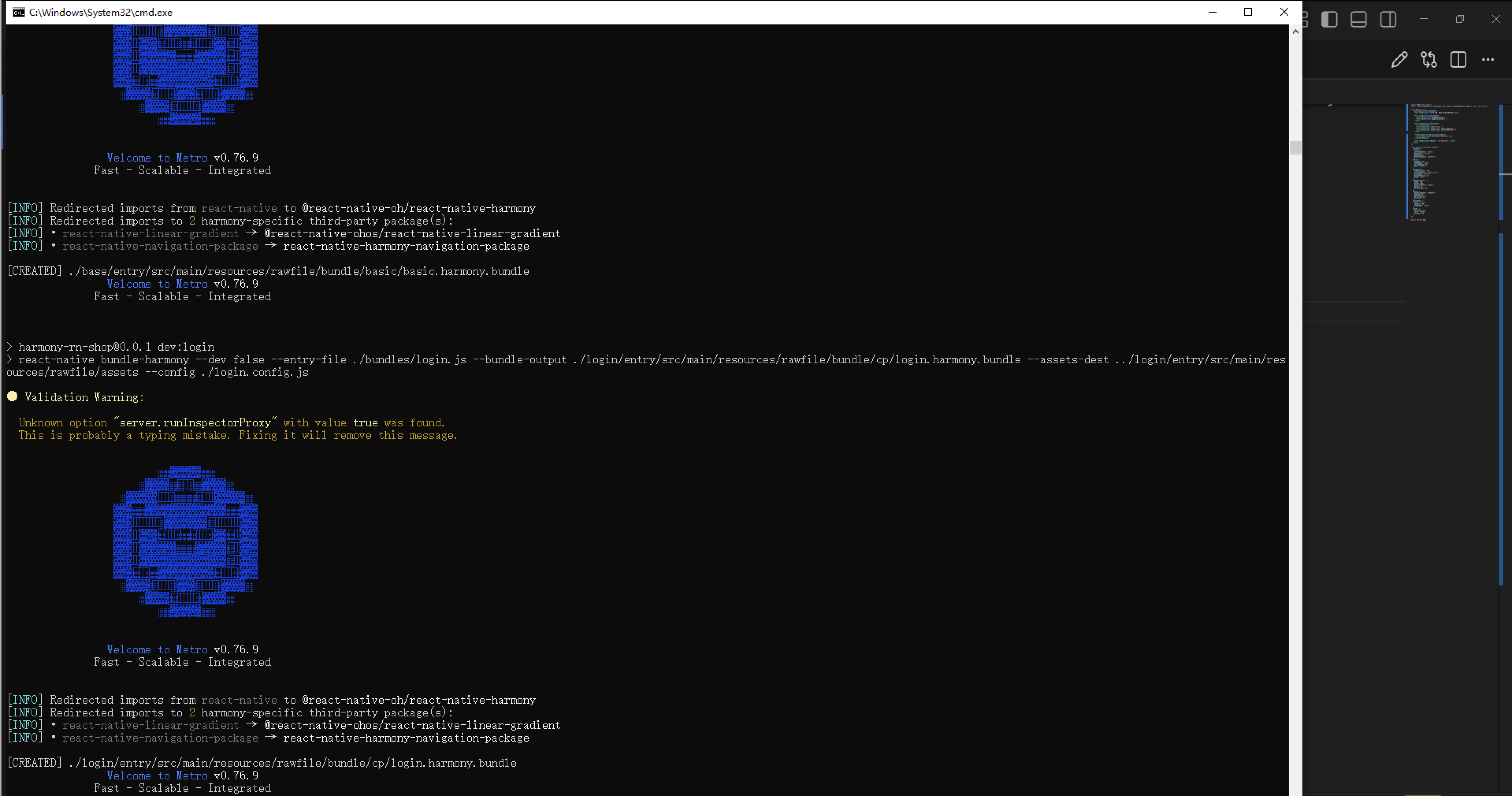
接下来通过打包命令npn run harmony将reactNative的代码打包成为bundle,这样可以进行在开源鸿蒙OpenHarmony中进行使用。
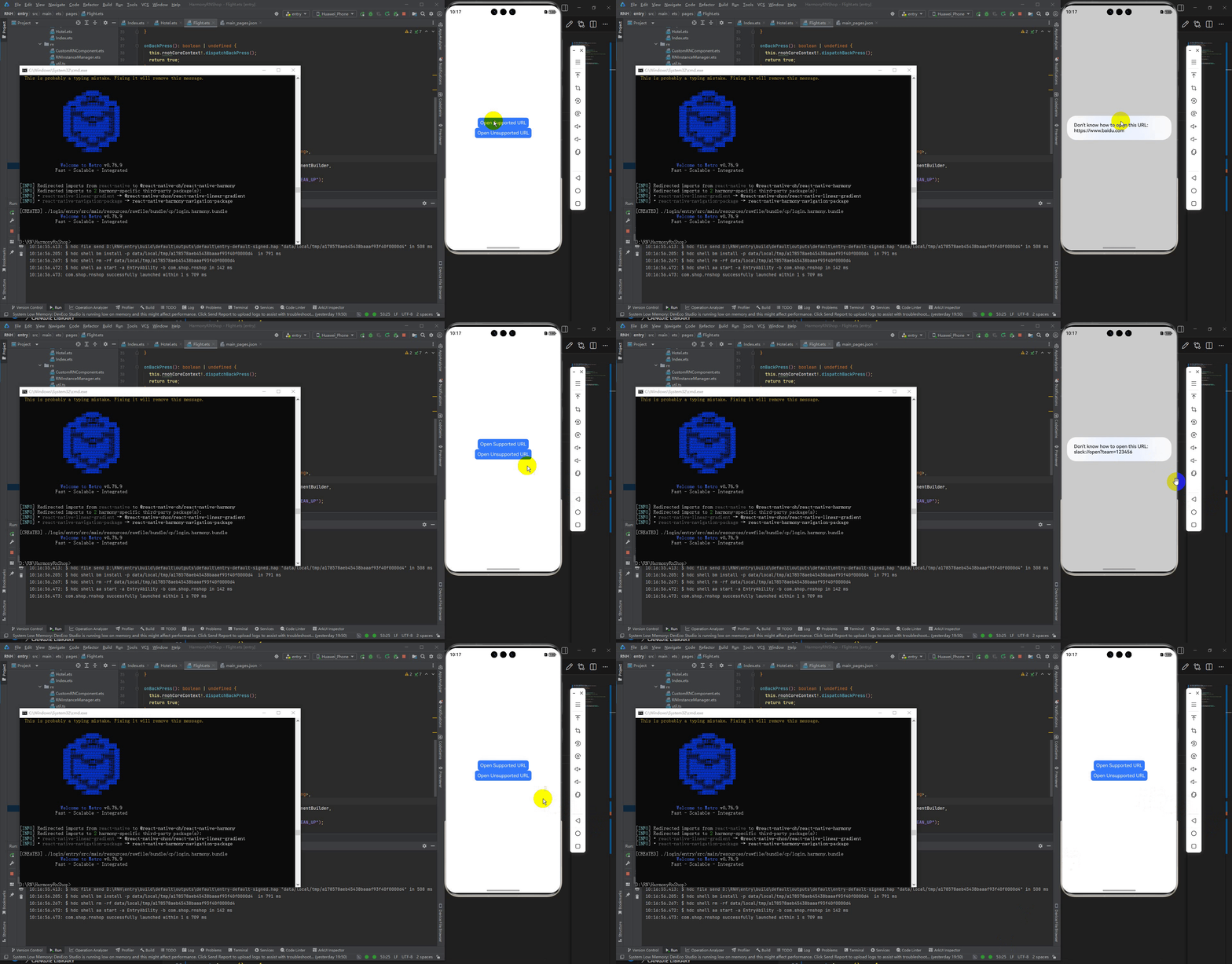
最后运行效果图如下显示:
欢迎大家加入开源鸿蒙跨平台开发者社区,一起共建开源鸿蒙跨平台生态。

社区规范:仅讨论OpenHarmony相关问题。
更多推荐
 19
19 0
0- 0


 已为社区贡献8条内容

所有评论(0)