OpenHarmony实战开发-text开发指导
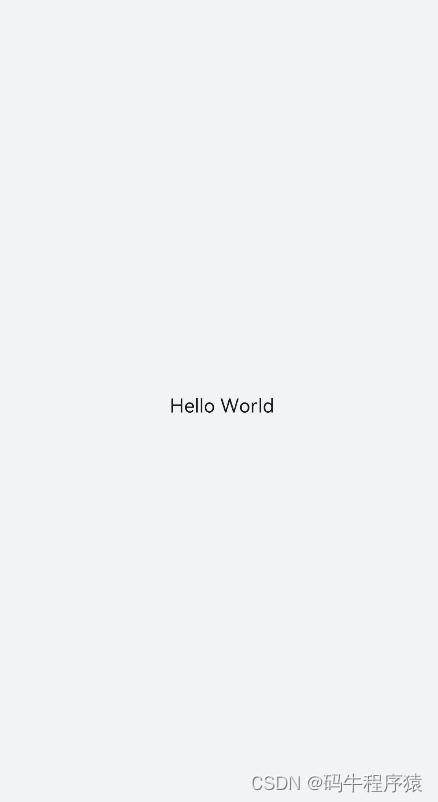
text是文本组件,用于呈现一段文本信息。
创建text组件
在pages/index目录下的hml文件中创建一个text组件。
<!-- xxx.hml -->
<div class="container" style="text-align: center;justify-content: center; align-items: center;">
  <text>Hello World</text>
</div>
/* xxx.css */
.container {
  width: 100%;
  height: 100%;
  flex-direction: column;
  align-items: center;
  justify-content: center;
  background-color: #F1F3F5;
}
设置text组件样式和属性
- 添加文本样式
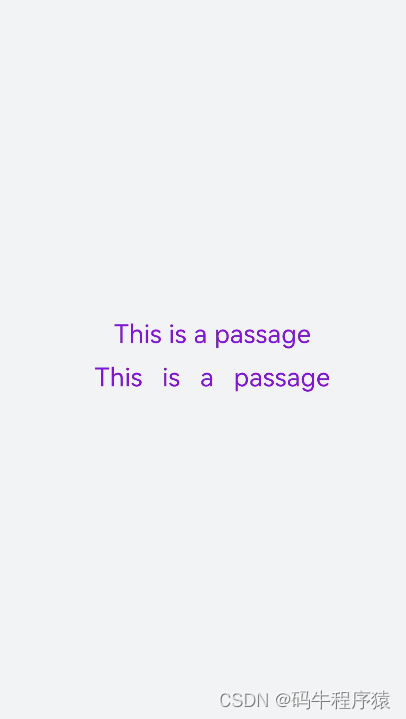
设置color、font-size、allow-scale、word-spacing、text-align属性分别为文本添加颜色、大小、缩放、文本之间的间距和文本在水平方向的对齐方式。
<!-- xxx.hml -->
<div class="container" style="background-color:#F1F3F5;flex-direction: column;justify-content: center; align-items: center;">
  <text style="color: blueviolet; font-size: 40px; allow-scale:true">
    This is a passage
  </text>
  <text style="color: blueviolet; font-size: 40px; margin-top: 20px; allow-scale:true;word-spacing: 20px;text-align: center">
    This is a passage
  </text>
</div>
/* xxx.css */
.container {
  display: flex;
  width: 100%;
  height: 100%;
  flex-direction: column;
  align-items: center;
  justify-content: center;
  background-color: #F1F3F5;
}
- 添加划线
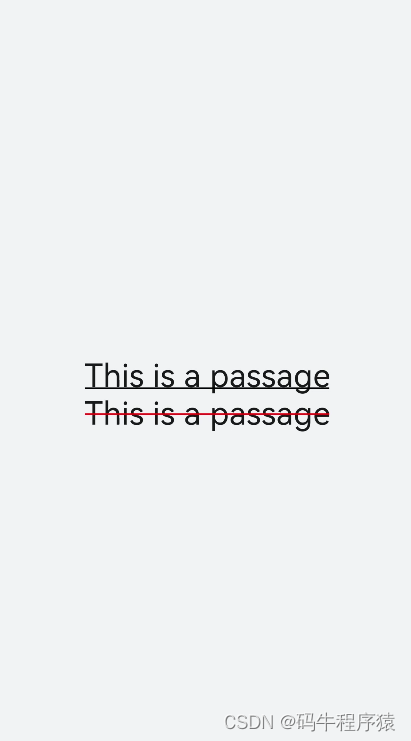
设置text-decoration和text-decoration-color属性为文本添加划线和划线颜色,text-decoration枚举值请参考 text自有样式。
<!-- xxx.hml -->
<div class="container" style="background-color:#F1F3F5;">
  <text style="text-decoration:underline">
    This is a passage
  </text>
  <text style="text-decoration:line-through;text-decoration-color: red">
    This is a passage
   </text>
</div>
/* xxx.css */
.container {
  width: 100%;
  height: 100%;
  flex-direction: column;
  align-items: center;
  justify-content: center;
}
text{
  font-size: 50px;
}
- 隐藏文本内容
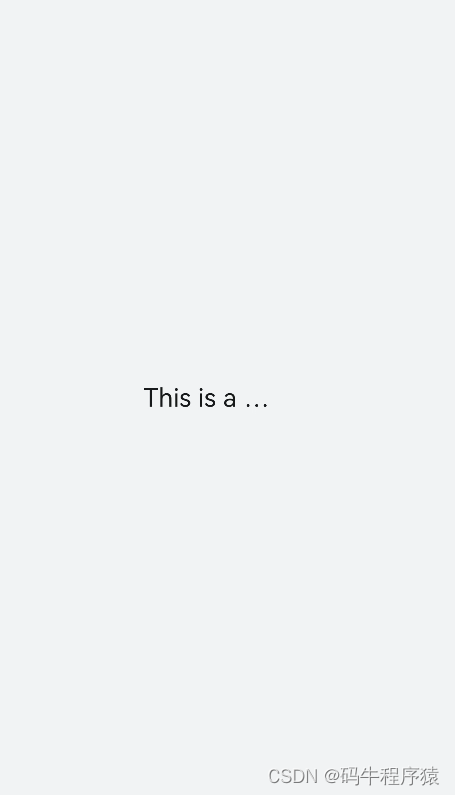
当文本内容过多而显示不全时,添加text-overflow属性将隐藏内容以省略号的形式展现。
<!-- xxx.hml -->
<div class="container">
  <text class="text">
    This is a passage
  </text>
</div>
/* xxx.css */
.container {
  width: 100%;
  height: 100%;
  flex-direction: column;
  align-items: center;
  background-color: #F1F3F5;
  justify-content: center;
}
.text{
  width: 200px;
  max-lines: 1;
  text-overflow:ellipsis;
}
说明:
text-overflow样式需要与max-lines样式配套使用,设置了最大行数的情况下生效。
max-lines属性设置文本最多可以展示的行数。 zh-cn_image_0000001163656706
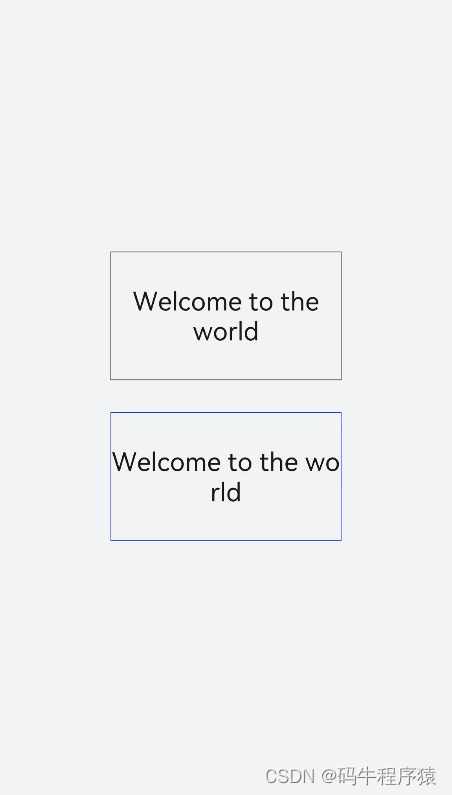
- 设置文本断行
设置word-break属性对文本内容做断行处理,word-break枚举值请参考text自有样式。
<!-- xxx.hml -->
<div class="container">
  <div class="content">
    <text class="text1">
      Welcome to the world
    </text>
      <text class="text2">
        Welcome to the world
      </text>
  </div>
</div>
/* xxx.css */
.container {
  width: 100%;
  height: 100%;
  background-color: #F1F3F5;
  flex-direction: column;
  align-items: center;
  justify-content: center;
}
.content{
  width: 50%;
  flex-direction: column;
  align-items: center;
  justify-content: center;
}
.text1{
  width: 100%;
  height: 200px;
  border:1px solid #1a1919;
  margin-bottom: 50px;
  text-align: center;
  word-break: break-word;
  font-size: 40px;
}
.text2{
  width: 100%;
  height: 200px;
  border:1px solid #0931e8;
  text-align: center;
  word-break: break-all;
  font-size: 40px;
}
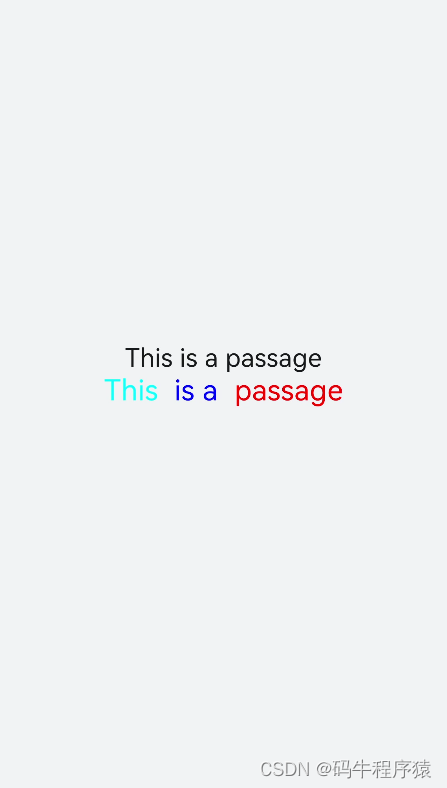
- text组件支持Span子组件
<!-- xxx.hml -->
<div class="container" style="justify-content: center; align-items: center;flex-direction: column;background-color: #F1F3F5;  width: 100%;height: 100%;">
  <text style="font-size: 45px;">
    This is a passage
  </text>
  <text style="font-size: 45px;">
    <span style="color: aqua;">This </span><span style="color: #F1F3F5;">      1
    </span>
    <span style="color: blue;"> is a </span>    <span style="color: #F1F3F5;">      1    </span>
    <span style="color: red;">  passage </span>
  </text>
</div>
说明:
当使用Span子组件组成文本段落时,如果Span属性样式异常(例如:font-weight设置为1000),将导致文本段落显示异常。
在使用Span子组件时,注意text组件内不能存在文本内容,如果存在文本内容也只会显示子组件Span里的内容。
场景示例
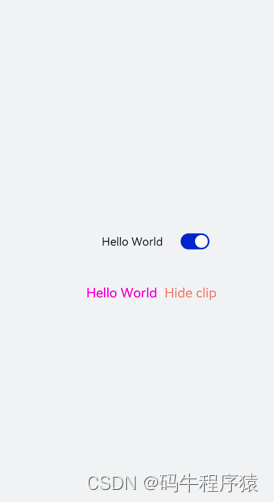
text组件通过数据绑定展示文本内容,Span组件通过设置show属性来实现文本内容的隐藏和显示。
<!-- xxx.hml -->
<div class="container">
  <div style="align-items: center;justify-content: center;">
    <text class="title">
      {{ content }}
    </text>
    <switch checked="true" onchange="test"></switch>
  </div>
  <text class="span-container" style="color: #ff00ff;">
    <span show="{{isShow}}">  {{ content  }}  </span>
    <span style="color: white;">
        1
    </span>
    <span style="color: #f76160">Hide clip </span>
  </text>
</div>
/* xxx.css */
.container {
  width: 100%;
  height: 100%;
  align-items: center;
  flex-direction: column;
  justify-content: center;
  background-color: #F1F3F5;
}
.title {
  font-size: 26px;
  text-align:center;
  width: 200px;
  height: 200px;
}
// xxx.js
export default {
  data: {
    isShow:true,
    content: 'Hello World'
  },
  onInit(){    },
  test(e) {
    this.isShow = e.checked
  }
}
js
// xxx.js
export default {
  data: {
    isShow:true,
    content: 'Hello World'
  },
  onInit(){    },
  test(e) {
    this.isShow = e.checked
  }
}
如果大家还没有掌握鸿蒙,现在想要在最短的时间里吃透它,我这边特意整理了《鸿蒙语法ArkTS、TypeScript、ArkUI等…视频教程》以及《鸿蒙开发学习手册》(共计890页),希望对大家有所帮助:https://docs.qq.com/doc/DZVVBYlhuRkZQZlB3
鸿蒙语法ArkTS、TypeScript、ArkUI等…视频教程:https://docs.qq.com/doc/DZVVBYlhuRkZQZlB3

OpenHarmony APP应用开发教程步骤:https://docs.qq.com/doc/DZVVBYlhuRkZQZlB3

《鸿蒙开发学习手册》:
如何快速入门:https://docs.qq.com/doc/DZVVBYlhuRkZQZlB3
1.基本概念
2.构建第一个ArkTS应用
3.……

开发基础知识:https://docs.qq.com/doc/DZVVBYlhuRkZQZlB3
1.应用基础知识
2.配置文件
3.应用数据管理
4.应用安全管理
5.应用隐私保护
6.三方应用调用管控机制
7.资源分类与访问
8.学习ArkTS语言
9.……

基于ArkTS 开发:https://docs.qq.com/doc/DZVVBYlhuRkZQZlB3
1.Ability开发
2.UI开发
3.公共事件与通知
4.窗口管理
5.媒体
6.安全
7.网络与链接
8.电话服务
9.数据管理
10.后台任务(Background Task)管理
11.设备管理
12.设备使用信息统计
13.DFX
14.国际化开发
15.折叠屏系列
16.……

鸿蒙生态应用开发白皮书V2.0PDF:https://docs.qq.com/doc/DZVVkRGRUd3pHSnFG


社区规范:仅讨论OpenHarmony相关问题。
更多推荐
 15
15 0
0- 0


 已为社区贡献67条内容

所有评论(0)