OpenHarmony怎么实现旋转屏幕
·
前言
常规旋转屏幕的方法的是在/system/etc/window/resources/window_manager_config.xml 文件里面对buildInDefaultOrientation属性的值进行改动的,改完之后提过命令(hdc file send )推回文件原来的位置,然后重启就可以实现了。本文主要讲解的是如何在应用层上实现旋转屏幕的效果。
提示:以下是本篇文章正文内容,下面案例可供参考
一、实现步骤
基本原理肯定都是提供改buildInDefaultOrientation属性进行旋转的,所以我们到源码的/foundation/window目录下查找是哪里调用了这个属性并赋值的。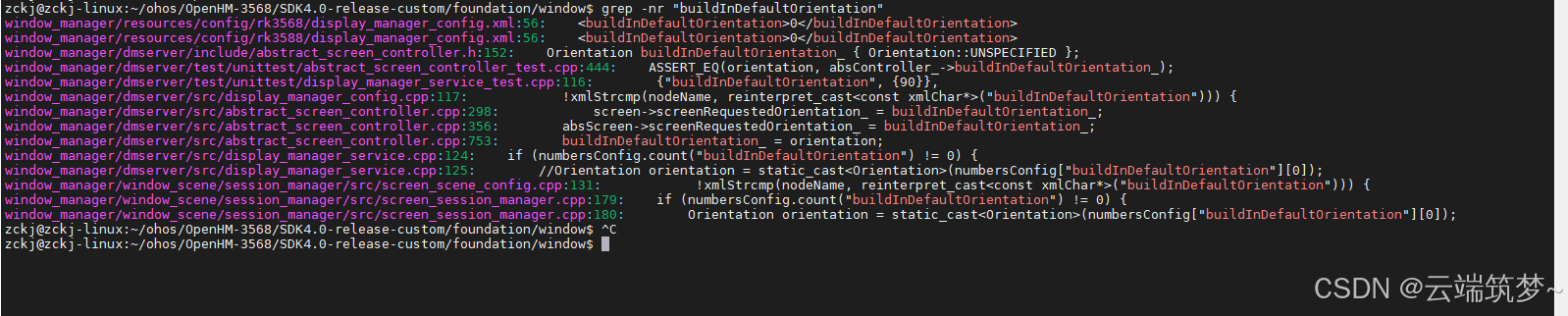
最终我们锁定到Orientation orientation = static_cast(numbersConfig[“buildInDefaultOrientation”][0]);

系统这里读取的是buildInDefaultOrientation属性并进行旋转的,那么我们在这里就自己定义一个系统属性来取代它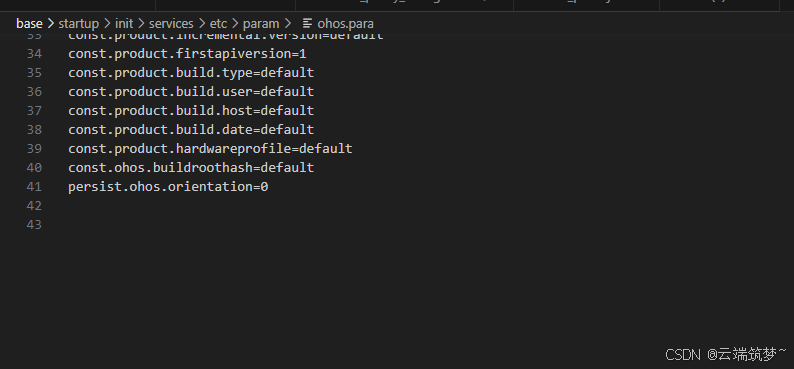
我们在base\startup\init\services\etc\param\ohos.para里定义一个persist.ohos.orientation=0系统属性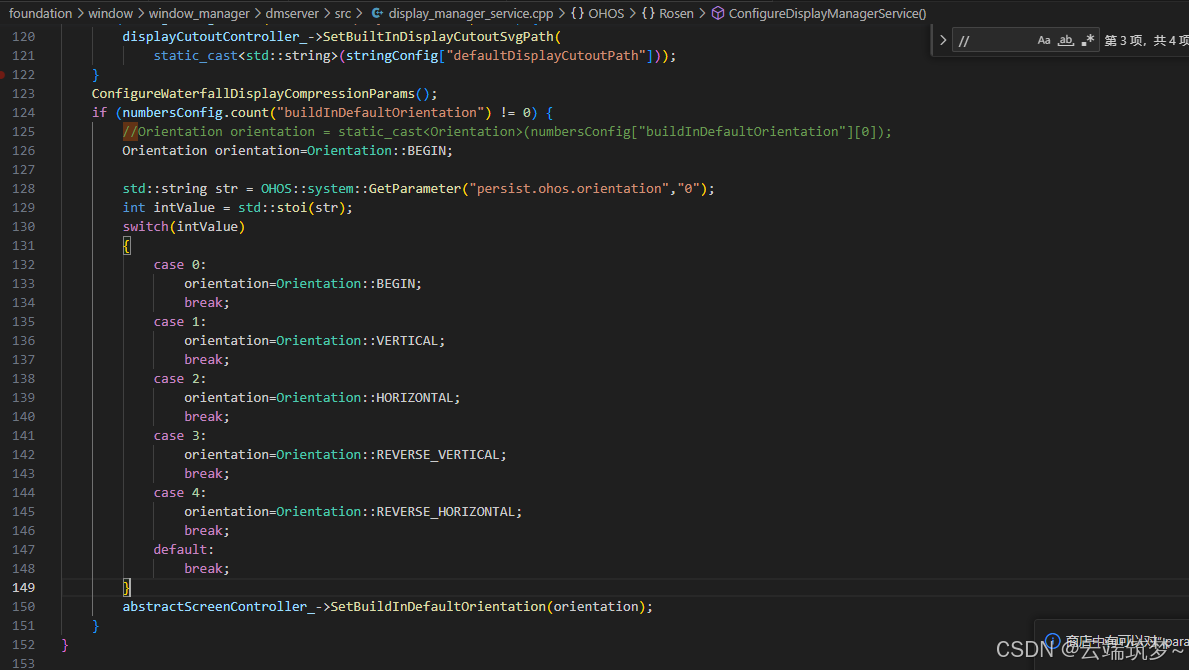
将原本的 //Orientation orientation = static_cast(numbersConfig[“buildInDefaultOrientation”][0]);注释掉之后,用我们自己的值去代替它
二、使用步骤
代码如下(示例):
import systemparameter from '@ohos.systemParameterEnhance';
import promptAction from '@ohos.promptAction';
import power from '@ohos.power';
   Button("旋转90°")
          .width(100)
         // .backgroundColor(Color.Orange)
          .onClick(()=>{
            promptAction.showDialog({
              title: '确认旋转90°并重启吗',
              message: '',
              buttons: [
                {
                  text: '取消',
                  color: '#000000'
                },
                {
                  text: '确认',
                  color: '#000000'
                }
              ]
            }, (err, data) => {
              if (err) {
                console.info('showDialog err: ' + err);
                return;
              }
              console.info('showDialog success callback, click button: ' + data.index);
              if(data.index==0)
              {

              }else if(data.index==1)
              {
                let info: string = systemparameter.getSync("persist.ohos.orientation");
                console.info("初始旋转90屏幕方向为"+info)
                systemparameter.setSync("persist.ohos.orientation", "1");
                promptAction.showToast({
                  message: '准备旋转90°并重启',
                  duration: 2000
                });
                setTimeout(()=>{
                  power.reboot('reboot test')
                },3000)
              }
            });
          })
提过上面的代码就可以实现应用层上旋转屏幕了

社区规范:仅讨论OpenHarmony相关问题。
更多推荐
 0
0 0
0- 0



 已为社区贡献74条内容

所有评论(0)