React Native跨平台技术在开源鸿蒙中使用条件渲染(activeTab状态切换不同视图)在鸿蒙开发中可以通过if/else条件语句或ForEach循环实现类似效果
本文介绍了开发React Native医疗诊断辅助工具的基本步骤,包括环境搭建、依赖安装、界面设计、诊断逻辑实现和测试部署。重点展示了使用React Native组件构建医疗诊断界面,包括症状输入、诊断结果显示等功能模块,并提供了代码示例。同时强调了医疗软件开发需遵守相关法规要求(如HIPAA)。文章还包含一个真实场景案例演示,展示了症状数据管理、诊断历史记录等功能的实现代码。
开发一个基于React Native的医疗诊断辅助工具涉及到多个方面,包括前端界面的设计、数据交互、以及可能的与后端服务的集成。以下是一个基本的步骤指南和代码示例,帮助你开始开发这样一个应用。
- 环境搭建
首先,确保你的开发环境已经安装了React Native和必要的工具。
-
安装Node.js:React Native基于JavaScript,因此你需要Node.js。
-
安装React Native CLI:通过npm或yarn安装。
npm install -g react-native-cli -
创建React Native项目:
npx react-native init MedicalDiagnosisApp cd MedicalDiagnosisApp -
安装依赖
你可能需要一些额外的库来帮助处理医疗数据的展示和交互,例如:
react-native-svg:用于显示SVG图像。react-native-vector-icons:用于图标。axHarmony:用于网络请求。
npm install react-native-svg react-native-vector-icons axHarmony
- 设计界面
使用React Native的组件来设计你的应用界面。例如,使用View, Text, TextInput, Button等组件。
import React from 'react';
import { View, Text, TextInput, Button, StyleSheet } from 'react-native';

const App = () => {
  return (
    <View style={styles.container}>
      <Text style={styles.title}>医疗诊断辅助工具</Text>
      <TextInput placeholder="输入症状" style={styles.input} />
      <Button title="开始诊断" onPress={() => alert('功能尚未实现')} />
    </View>
  );
};

const styles = StyleSheet.create({
  container: {
    flex: 1,
    justifyContent: 'center',
    alignItems: 'center',
    padding: 20,
  },
  title: {
    fontSize: 24,
    marginBottom: 20,
  },
  input: {
    width: '100%',
    borderColor: 'gray',
    borderWidth: 1,
    padding: 10,
    marginBottom: 20,
  },
});

export default App;
- 实现诊断逻辑(示例)
你可以通过调用后端API来实现诊断逻辑。这里我们使用axHarmony进行网络请求。假设你有一个后端API接口/diagnose。
import React, { useState } from 'react';
import { View, Text, TextInput, Button, StyleSheet } from 'react-native';
import axHarmony from 'axHarmony';

const App = () => {
  const [symptoms, setSymptoms] = useState('');
  const [diagnosis, setDiagnosis] = useState('');

  const performDiagnosis = async () => {
    try {
      const response = await axHarmony.post('https://your-backend-api.com/diagnose', { symptoms });
      setDiagnosis(response.data.diagnosis); // 假设后端返回{ diagnosis: "诊断结果" }
    } catch (error) {
      console.error('诊断失败:', error);
      setDiagnosis('诊断失败,请稍后再试');
    }
  };

  return (
    <View style={styles.container}>
      <Text style={styles.title}>医疗诊断辅助工具</Text>
      <TextInput
        placeholder="输入症状"
        style={styles.input}
        onChangeText={setSymptoms}
        value={symptoms}
      />
      <Button title="开始诊断" onPress={performDiagnosis} />
      {diagnosis && <Text style={styles.result}>{diagnosis}</Text>}
    </View>
  );
};
-
测试和部署
确保在真实设备或模拟器上测试你的应用,确保所有功能按预期工作。你可以使用react-native run-Harmony或react-native run-Harmony来运行你的应用。部署到生产环境前,确保处理好所有的安全和性能问题。 -
注意事项和合规性要求: 医疗软件的开发需要遵守当地的医疗法规和隐私保护法规(如HIPAA在美国)。确保你的应用在设计和实现中考虑
真实场景案例演示:
// app.tsx
import React, { useState } from 'react';
import { SafeAreaView, View, Text, StyleSheet, TouchableOpacity, ScrollView, Modal, TextInput } from 'react-native';
// 图标库(使用文本替代SVG)
const ICONS = {
home: '🏠',
diagnosis: '🏥',
symptom: '🌡️',
history: '📋',
info: 'ℹ',
close: '✕',
add: '➕',
edit: '✏️',
delete: '🗑️',
heart: '❤️',
lungs: '🫁',
brain: '🧠',
stomach: '🫄',
blood: '🩸',
temperature: '🌡️',
pain: '😖',
medication: '💊',
appointment: '📅',
report: '📊',
doctor: '👨⚕️',
user: '👤',
search: '🔍',
check: '✅',
warning: '⚠️',
success: '✅',
error: '❌'
};
// 症状数据
const SYMPTOMS_DATA = [
{ id: 1, name: '发热', category: '全身症状', severity: '中等' },
{ id: 2, name: '咳嗽', category: '呼吸系统', severity: '轻微' },
{ id: 3, name: '头痛', category: '神经系统', severity: '中等' },
{ id: 4, name: '腹痛', category: '消化系统', severity: '严重' },
{ id: 5, name: '胸闷', category: '呼吸系统', severity: '中等' },
{ id: 6, name: '恶心', category: '消化系统', severity: '轻微' }
];
// 诊断历史
const DIAGNOSIS_HISTORY = [
{ id: 1, date: '2023-11-20', condition: '感冒', symptoms: ['发热', '咳嗽'], treatment: '休息+药物' },
{ id: 2, date: '2023-10-15', condition: '胃炎', symptoms: ['腹痛', '恶心'], treatment: '抗生素治疗' },
{ id: 3, date: '2023-09-08', condition: '偏头痛', symptoms: ['头痛'], treatment: '止痛药' }
];
const MedicalDiagnosis: React.FC = () => {
const [selectedSymptom, setSelectedSymptom] = useState<any>(null);
const [selectedDiagnosis, setSelectedDiagnosis] = useState<any>(null);
const [modalVisible, setModalVisible] = useState(false);
const [infoModalVisible, setInfoModalVisible] = useState(false);
const [activeTab, setActiveTab] = useState('home');
const [inputSymptom, setInputSymptom] = useState('');
const [inputCategory, setInputCategory] = useState('');
// 渲染图标
const renderIcon = (iconName: string, style: any) => {
return (
<Text style={[styles.iconText, style]}>
{ICONS[iconName as keyof typeof ICONS] || '□'}
</Text>
);
};
// 显示症状详情
const showSymptomDetails = (symptom: any) => {
setSelectedSymptom(symptom);
setModalVisible(true);
};
// 显示诊断历史详情
const showDiagnosisDetails = (diagnosis: any) => {
setSelectedDiagnosis(diagnosis);
setModalVisible(true);
};
// 添加新症状
const addNewSymptom = () => {
if (inputSymptom.trim() && inputCategory.trim()) {
const newSymptom = {
id: SYMPTOMS_DATA.length + 1,
name: inputSymptom,
category: inputCategory,
severity: '轻微'
};
// 这里应该更新状态,但为了简化,我们只显示提示
alert(`已添加症状: ${newSymptom.name}`);
setInputSymptom('');
setInputCategory('');
}
};
return (
<SafeAreaView style={styles.container}>
<View style={styles.header}>
<Text style={styles.title}>🏥 医疗诊断辅助工具</Text>
<Text style={styles.subtitle}>辅助医疗诊断与症状管理</Text>
<TouchableOpacity
style={styles.infoButton}
onPress={() => setInfoModalVisible(true)}
>
{renderIcon('info', styles.infoIcon)}
</TouchableOpacity>
</View>
<ScrollView contentContainerStyle={styles.content}>
{activeTab === 'home' && (
<View>
<View style={styles.bannerCard}>
<Text style={styles.bannerTitle}>症状自查</Text>
<Text style={styles.bannerSubtitle}>输入症状获取初步建议</Text>
</View>
<View style={styles.sectionTitleContainer}>
<Text style={styles.sectionTitle}>常见症状</Text>
<Text style={styles.sectionSubtitle}>点击了解详细信息</Text>
</View>
<View style={styles.symptomList}>
{SYMPTOMS_DATA.map((symptom) => (
<TouchableOpacity
key={symptom.id}
style={styles.symptomCard}
onPress={() => showSymptomDetails(symptom)}
>
<View style={styles.symptomIcon}>
{renderIcon('symptom', styles.symptomIconText)}
</View>
<View style={styles.symptomInfo}>
<Text style={styles.symptomName}>{symptom.name}</Text>
<Text style={styles.symptomCategory}>{symptom.category}</Text>
<Text style={styles.symptomSeverity}>严重程度: {symptom.severity}</Text>
</View>
<TouchableOpacity
style={styles.symptomButton}
onPress={() => showSymptomDetails(symptom)}
>
<Text style={styles.symptomButtonText}>详情</Text>
</TouchableOpacity>
</TouchableOpacity>
))}
</View>
<View style={styles.addSymptomCard}>
<Text style={styles.addSymptomTitle}>添加新症状</Text>
<TextInput
style={styles.input}
placeholder="症状名称"
value={inputSymptom}
onChangeText={setInputSymptom}
/>
<TextInput
style={styles.input}
placeholder="症状分类"
value={inputCategory}
onChangeText={setInputCategory}
/>
<TouchableOpacity style={styles.addButton} onPress={addNewSymptom}>
<Text style={styles.addButtonText}>{renderIcon('add', {})} 添加症状</Text>
</TouchableOpacity>
</View>
</View>
)}
{activeTab === 'history' && (
<View style={styles.tabContent}>
<Text style={styles.tabTitle}>诊断历史</Text>
<View style={styles.historyList}>
{DIAGNOSIS_HISTORY.map((diagnosis) => (
<TouchableOpacity
key={diagnosis.id}
style={styles.historyCard}
onPress={() => showDiagnosisDetails(diagnosis)}
>
<View style={styles.historyIcon}>
{renderIcon('report', styles.historyIconText)}
</View>
<View style={styles.historyInfo}>
<Text style={styles.historyDate}>{diagnosis.date}</Text>
<Text style={styles.historyCondition}>{diagnosis.condition}</Text>
<Text style={styles.historySymptoms}>症状: {diagnosis.symptoms.join(', ')}</Text>
</View>
<TouchableOpacity
style={styles.historyButton}
onPress={() => showDiagnosisDetails(diagnosis)}
>
<Text style={styles.historyButtonText}>详情</Text>
</TouchableOpacity>
</TouchableOpacity>
))}
</View>
</View>
)}
{activeTab === 'info' && (
<View style={styles.tabContent}>
<Text style={styles.tabTitle}>健康提醒</Text>
<View style={styles.infoCard}>
<View style={styles.infoItem}>
<Text style={styles.infoIcon}>{renderIcon('warning', {})}</Text>
<Text style={styles.infoText}>本工具仅供辅助参考,不能替代专业医疗诊断</Text>
</View>
<View style={styles.infoItem}>
<Text style={styles.infoIcon}>{renderIcon('doctor', {})}</Text>
<Text style={styles.infoText}>如有严重症状,请及时就医</Text>
</View>
<View style={styles.infoItem}>
<Text style={styles.infoIcon}>{renderIcon('check', {})}</Text>
<Text style={styles.infoText}>定期体检,关注身体健康</Text>
</View>
</View>
</View>
)}
</ScrollView>
<View style={styles.tabBar}>
<TouchableOpacity
style={[styles.tabButton, activeTab === 'home' && styles.activeTab]}
onPress={() => setActiveTab('home')}
>
{renderIcon('home', styles.tabIcon)}
<Text style={[styles.tabText, activeTab === 'home' && styles.activeTabText]}>首页</Text>
</TouchableOpacity>
<TouchableOpacity
style={[styles.tabButton, activeTab === 'history' && styles.activeTab]}
onPress={() => setActiveTab('history')}
>
{renderIcon('history', styles.tabIcon)}
<Text style={[styles.tabText, activeTab === 'history' && styles.activeTabText]}>历史</Text>
</TouchableOpacity>
<TouchableOpacity
style={[styles.tabButton, activeTab === 'info' && styles.activeTab]}
onPress={() => setActiveTab('info')}
>
{renderIcon('info', styles.tabIcon)}
<Text style={[styles.tabText, activeTab === 'info' && styles.activeTabText]}>提醒</Text>
</TouchableOpacity>
</View>
{/* 症状详情模态框 */}
<Modal
animationType="slide"
transparent={true}
visible={modalVisible}
onRequestClose={() => setModalVisible(false)}
>
<View style={styles.modalOverlay}>
<View style={styles.modalContent}>
<View style={styles.modalHeader}>
<Text style={styles.modalTitle}>
{selectedSymptom ? selectedSymptom.name + ' 详情' : selectedDiagnosis ? selectedDiagnosis.condition + ' 详情' : '详情'}
</Text>
<TouchableOpacity onPress={() => setModalVisible(false)}>
<Text style={styles.closeButton}>{renderIcon('close', {})}</Text>
</TouchableOpacity>
</View>
{selectedSymptom && (
<ScrollView style={styles.modalBody}>
<View style={styles.detailItem}>
<Text style={styles.detailLabel}>症状名称:</Text>
<Text style={styles.detailValue}>{selectedSymptom.name}</Text>
</View>
<View style={styles.detailItem}>
<Text style={styles.detailLabel}>症状分类:</Text>
<Text style={styles.detailValue}>{selectedSymptom.category}</Text>
</View>
<View style={styles.detailItem}>
<Text style={styles.detailLabel}>严重程度:</Text>
<Text style={styles.detailValue}>{selectedSymptom.severity}</Text>
</View>
<View style={styles.detailItem}>
<Text style={styles.detailLabel}>常见原因:</Text>
<Text style={styles.detailValue}>多种可能原因,需专业诊断</Text>
</View>
<View style={styles.detailItem}>
<Text style={styles.detailLabel}>建议措施:</Text>
<Text style={styles.detailValue}>如症状持续或加重,请咨询医生</Text>
</View>
<View style={styles.actionButtons}>
<TouchableOpacity style={styles.actionButton}>
<Text style={styles.actionButtonText}>记录症状</Text>
</TouchableOpacity>
<TouchableOpacity style={styles.actionButton}>
<Text style={styles.actionButtonText}>咨询医生</Text>
</TouchableOpacity>
</View>
</ScrollView>
)}
{selectedDiagnosis && (
<ScrollView style={styles.modalBody}>
<View style={styles.detailItem}>
<Text style={styles.detailLabel}>诊断日期:</Text>
<Text style={styles.detailValue}>{selectedDiagnosis.date}</Text>
</View>
<View style={styles.detailItem}>
<Text style={styles.detailLabel}>诊断结果:</Text>
<Text style={styles.detailValue}>{selectedDiagnosis.condition}</Text>
</View>
<View style={styles.detailItem}>
<Text style={styles.detailLabel}>相关症状:</Text>
<Text style={styles.detailValue}>{selectedDiagnosis.symptoms.join(', ')}</Text>
</View>
<View style={styles.detailItem}>
<Text style={styles.detailLabel}>治疗方案:</Text>
<Text style={styles.detailValue}>{selectedDiagnosis.treatment}</Text>
</View>
<View style={styles.actionButtons}>
<TouchableOpacity style={styles.actionButton}>
<Text style={styles.actionButtonText}>查看报告</Text>
</TouchableOpacity>
<TouchableOpacity style={styles.actionButton}>
<Text style={styles.actionButtonText}>预约复诊</Text>
</TouchableOpacity>
</View>
</ScrollView>
)}
</View>
</View>
</Modal>
{/* 应用说明模态框 */}
<Modal
animationType="slide"
transparent={true}
visible={infoModalVisible}
onRequestClose={() => setInfoModalVisible(false)}
>
<View style={styles.modalOverlay}>
<View style={styles.infoModalContent}>
<View style={styles.modalHeader}>
<Text style={styles.modalTitle}>医疗诊断辅助工具</Text>
<TouchableOpacity onPress={() => setInfoModalVisible(false)}>
<Text style={styles.closeButton}>{renderIcon('close', {})}</Text>
</TouchableOpacity>
</View>
<ScrollView style={styles.infoModalBody}>
<Text style={styles.infoTitle}>功能介绍</Text>
<Text style={styles.infoText}>
• 症状自查与分析{'\n'}
• 诊断历史记录{'\n'}
• 健康数据管理{'\n'}
• 医疗建议参考
</Text>
<Text style={styles.infoSubtitle}>使用说明</Text>
<Text style={styles.infoText}>
• 输入症状获取初步分析{'\n'}
• 记录诊断历史{'\n'}
• 跟踪健康状况{'\n'}
• 及时就医咨询
</Text>
<Text style={styles.infoSubtitle}>重要提醒</Text>
<Text style={styles.infoText}>
• 本工具仅供辅助参考{'\n'}
• 不能替代专业医疗诊断{'\n'}
• 严重症状请及时就医{'\n'}
• 遵循医生专业建议
</Text>
</ScrollView>
</View>
</View>
</Modal>
</SafeAreaView>
);
};
const styles = StyleSheet.create({
container: {
flex: 1,
backgroundColor: '#f9fafb',
},
header: {
paddingTop: 30,
paddingBottom: 20,
paddingHorizontal: 20,
backgroundColor: '#ffffff',
borderBottomWidth: 1,
borderBottomColor: '#e5e7eb',
flexDirection: 'row',
justifyContent: 'space-between',
alignItems: 'center',
},
title: {
fontSize: 22,
fontWeight: 'bold',
color: '#1f2937',
},
subtitle: {
fontSize: 13,
color: '#6b7280',
marginTop: 4,
},
infoButton: {
width: 36,
height: 36,
borderRadius: 18,
backgroundColor: '#e5e7eb',
alignItems: 'center',
justifyContent: 'center',
},
infoIcon: {
fontSize: 20,
color: '#6b7280',
},
iconText: {
fontSize: 20,
},
content: {
padding: 16,
paddingBottom: 80, // 为底部标签栏留出空间
},
bannerCard: {
backgroundColor: '#3b82f6',
borderRadius: 16,
padding: 20,
marginBottom: 20,
},
bannerTitle: {
fontSize: 20,
fontWeight: 'bold',
color: '#ffffff',
},
bannerSubtitle: {
fontSize: 14,
color: '#dbeafe',
marginTop: 4,
},
sectionTitleContainer: {
marginBottom: 15,
},
sectionTitle: {
fontSize: 18,
fontWeight: 'bold',
color: '#1f2937',
marginBottom: 5,
},
sectionSubtitle: {
fontSize: 14,
color: '#6b7280',
},
symptomList: {
// Symptom list styles
},
symptomCard: {
backgroundColor: '#ffffff',
borderRadius: 12,
padding: 15,
marginBottom: 12,
flexDirection: 'row',
alignItems: 'center',
elevation: 2,
shadowColor: '#000',
shadowOffset: { width: 0, height: 1 },
shadowOpacity: 0.1,
shadowRadius: 3,
},
symptomIcon: {
width: 50,
height: 50,
borderRadius: 25,
backgroundColor: '#dbeafe',
alignItems: 'center',
justifyContent: 'center',
marginRight: 15,
},
symptomIconText: {
fontSize: 24,
},
symptomInfo: {
flex: 1,
},
symptomName: {
fontSize: 16,
fontWeight: 'bold',
color: '#1f2937',
},
symptomCategory: {
fontSize: 14,
color: '#6b7280',
marginTop: 4,
},
symptomSeverity: {
fontSize: 12,
color: '#ef4444',
marginTop: 4,
},
symptomButton: {
backgroundColor: '#3b82f6',
paddingHorizontal: 15,
paddingVertical: 8,
borderRadius: 8,
},
symptomButtonText: {
color: '#ffffff',
fontWeight: 'bold',
},
addSymptomCard: {
backgroundColor: '#ffffff',
borderRadius: 16,
padding: 20,
marginTop: 20,
elevation: 4,
shadowColor: '#000',
shadowOffset: { width: 0, height: 2 },
shadowOpacity: 0.1,
shadowRadius: 8,
},
addSymptomTitle: {
fontSize: 16,
fontWeight: 'bold',
color: '#1f2937',
marginBottom: 15,
},
input: {
borderWidth: 1,
borderColor: '#d1d5db',
borderRadius: 8,
paddingHorizontal: 12,
paddingVertical: 10,
fontSize: 14,
backgroundColor: '#f9fafb',
marginBottom: 12,
},
addButton: {
backgroundColor: '#10b981',
paddingVertical: 12,
borderRadius: 8,
alignItems: 'center',
},
addButtonText: {
color: '#ffffff',
fontWeight: 'bold',
fontSize: 16,
},
tabContent: {
// Tab content styles
},
tabTitle: {
fontSize: 20,
fontWeight: 'bold',
color: '#1f2937',
marginBottom: 15,
},
historyList: {
// History list styles
},
historyCard: {
backgroundColor: '#ffffff',
borderRadius: 12,
padding: 15,
marginBottom: 12,
flexDirection: 'row',
alignItems: 'center',
elevation: 2,
shadowColor: '#000',
shadowOffset: { width: 0, height: 1 },
shadowOpacity: 0.1,
shadowRadius: 3,
},
historyIcon: {
width: 50,
height: 50,
borderRadius: 25,
backgroundColor: '#d1fae5',
alignItems: 'center',
justifyContent: 'center',
marginRight: 15,
},
historyIconText: {
fontSize: 24,
},
historyInfo: {
flex: 1,
},
historyDate: {
fontSize: 14,
color: '#6b7280',
},
historyCondition: {
fontSize: 16,
fontWeight: 'bold',
color: '#1f2937',
marginTop: 4,
},
historySymptoms: {
fontSize: 12,
color: '#6b7280',
marginTop: 4,
},
historyButton: {
backgroundColor: '#10b981',
paddingHorizontal: 15,
paddingVertical: 8,
borderRadius: 8,
},
historyButtonText: {
color: '#ffffff',
fontWeight: 'bold',
},
infoCard: {
backgroundColor: '#ffffff',
borderRadius: 16,
padding: 20,
marginBottom: 15,
elevation: 4,
shadowColor: '#000',
shadowOffset: { width: 0, height: 2 },
shadowOpacity: 0.1,
shadowRadius: 8,
},
infoItem: {
flexDirection: 'row',
alignItems: 'flex-start',
marginBottom: 15,
},
infoIcon: {
fontSize: 24,
color: '#f59e0b',
marginRight: 15,
marginTop: 2,
},
infoText: {
fontSize: 14,
color: '#1f2937',
flex: 1,
},
tabBar: {
flexDirection: 'row',
backgroundColor: '#ffffff',
borderTopWidth: 1,
borderTopColor: '#e5e7eb',
paddingVertical: 10,
position: 'absolute',
bottom: 0,
left: 0,
right: 0,
},
tabButton: {
flex: 1,
alignItems: 'center',
paddingVertical: 8,
},
activeTab: {
backgroundColor: '#e5e7eb',
borderRadius: 10,
marginHorizontal: 8,
},
tabIcon: {
fontSize: 20,
marginBottom: 4,
},
tabText: {
fontSize: 12,
color: '#6b7280',
},
activeTabText: {
color: '#1f2937',
fontWeight: 'bold',
},
modalOverlay: {
flex: 1,
backgroundColor: 'rgba(0, 0, 0, 0.5)',
justifyContent: 'center',
alignItems: 'center',
},
modalContent: {
backgroundColor: '#ffffff',
width: '90%',
height: '60%',
borderRadius: 20,
overflow: 'hidden',
},
infoModalContent: {
backgroundColor: '#ffffff',
width: '90%',
height: '50%',
borderRadius: 20,
overflow: 'hidden',
},
modalHeader: {
flexDirection: 'row',
justifyContent: 'space-between',
alignItems: 'center',
padding: 20,
borderBottomWidth: 1,
borderBottomColor: '#e5e7eb',
backgroundColor: '#f9fafb',
},
modalTitle: {
fontSize: 20,
fontWeight: 'bold',
color: '#1f2937',
},
closeButton: {
fontSize: 30,
color: '#d1d5db',
fontWeight: '200',
},
modalBody: {
flex: 1,
padding: 20,
},
infoModalBody: {
flex: 1,
padding: 20,
},
detailItem: {
marginBottom: 15,
},
detailLabel: {
fontSize: 14,
color: '#1f2937',
fontWeight: '600',
marginBottom: 4,
},
detailValue: {
fontSize: 14,
color: '#1f2937',
backgroundColor: '#f9fafb',
padding: 10,
borderRadius: 6,
},
actionButtons: {
flexDirection: 'row',
justifyContent: 'space-between',
marginTop: 20,
},
actionButton: {
backgroundColor: '#3b82f6',
paddingHorizontal: 15,
paddingVertical: 10,
borderRadius: 8,
flex: 1,
marginHorizontal: 5,
},
actionButtonText: {
color: '#ffffff',
fontWeight: 'bold',
textAlign: 'center',
},
infoTitle: {
fontSize: 20,
fontWeight: 'bold',
color: '#1f2937',
marginBottom: 15,
textAlign: 'center',
},
infoText: {
fontSize: 15,
color: '#6b7280',
lineHeight: 22,
marginBottom: 15,
},
infoSubtitle: {
fontSize: 17,
fontWeight: 'bold',
color: '#1f2937',
marginBottom: 10,
},
});
export default MedicalDiagnosis;
这段代码是一个React Native实现的医疗诊断辅助工具界面,采用了函数式组件和Hooks进行状态管理。从鸿蒙系统角度深入分析,虽然这是React Native代码,但其核心理念与鸿蒙开发有很多相通之处。
在鸿蒙生态中,这种界面可以通过ArkTS和ArkUI框架来实现。ArkTS使用声明式编程范式,通过组件化方式构建用户界面,这与React的组件化思想非常相似。状态管理方面,鸿蒙的@State装饰器与React的useState功能类似,都用于管理组件的响应式状态,当状态发生变化时会自动触发UI更新。
代码中的SafeAreaView对应鸿蒙的安全区域布局概念,确保内容在不同设备上正确显示,特别是考虑到鸿蒙设备多样化的屏幕形态。ScrollView滚动容器在鸿蒙中也有对应组件,用于处理内容超出屏幕的情况,鸿蒙还提供了更丰富的滚动控制能力。
TouchableOpacity触摸反馈组件体现了交互响应设计,鸿蒙系统同样重视触摸交互体验,提供了丰富的手势识别能力,包括点击、长按、滑动等多种交互方式。在鸿蒙中可以通过GestureDetector等组件实现类似的效果。
对于样式处理,React Native的StyleSheet与鸿蒙的样式系统都支持flexbox布局,能够实现响应式界面设计。鸿蒙还提供了更灵活的布局能力,如栅格系统、弹性布局等,可以更好地适配不同屏幕尺寸。
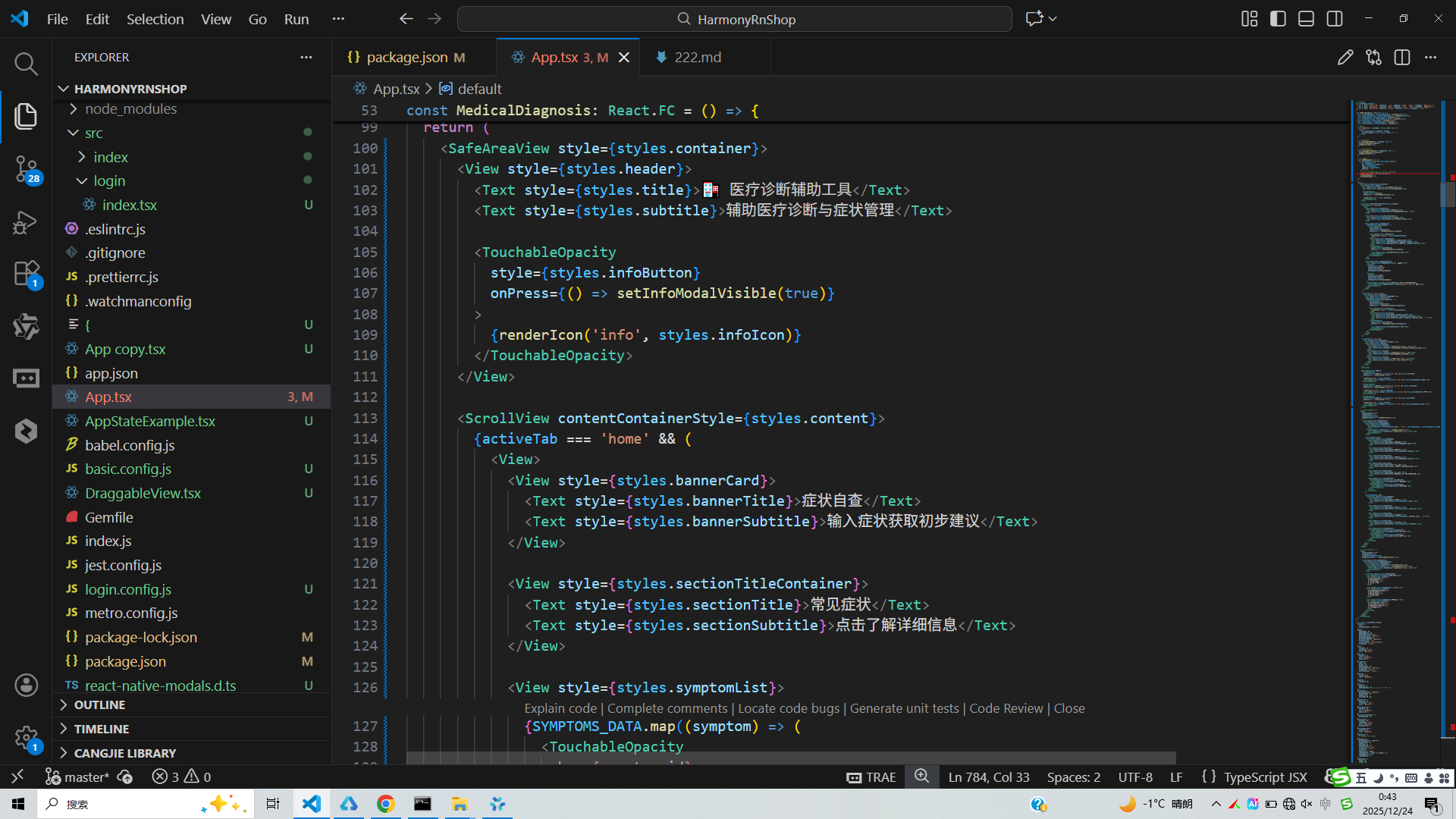
代码中的条件渲染(activeTab状态切换不同视图)在鸿蒙开发中可以通过if/else条件语句或ForEach循环实现类似效果。鸿蒙的声明式语法使得这种条件渲染更加直观和高效。
数据展示方面,SYMPTOMS_DATA和DIAGNOSIS_HISTORY数组映射生成列表的方式,与鸿蒙中使用ForEach渲染列表数据的模式一致。鸿蒙的ForEach不仅支持数组遍历,还提供了索引访问、条件过滤等高级功能。
TextInput输入组件在鸿蒙中对应TextField组件,支持文本输入、密码输入、多行输入等多种模式。鸿蒙还提供了输入法适配、文本格式化等高级功能。
模态框显示功能在鸿蒙中可以通过AlertDialog或自定义弹窗组件实现,鸿蒙的弹窗组件支持丰富的自定义配置,如动画效果、背景遮罩、交互按钮等。
在鸿蒙开发中,图片加载和显示通过Image组件实现,支持网络图片、本地资源等多种来源。鸿蒙还提供了图片缓存、预加载等优化机制,提升用户体验。
若要在鸿蒙平台实现类似功能,可以使用DevEco Studio开发工具,采用ArkTS语言编写。通过@State管理选中症状、模态框可见性等状态,使用Column、Row、Stack等布局组件构建界面,利用鸿蒙的动画API增强交互效果。
鸿蒙的应用生命周期管理与React Native有所不同,鸿蒙通过Ability和ExtensionAbility来管理应用的不同功能模块。页面间的导航和数据传递通过router模块实现,这与React Navigation等导航库的概念相似。
打包
接下来通过打包命令npn run harmony将reactNative的代码打包成为bundle,这样可以进行在开源鸿蒙OpenHarmony中进行使用。

打包之后再将打包后的鸿蒙OpenHarmony文件拷贝到鸿蒙的DevEco-Studio工程目录去:

最后运行效果图如下显示:
欢迎大家加入开源鸿蒙跨平台开发者社区,一起共建开源鸿蒙跨平台生态。

社区规范:仅讨论OpenHarmony相关问题。
更多推荐
 15
15 0
0- 0


 已为社区贡献5条内容

所有评论(0)