Flutter 与开源鸿蒙 MethodChannel 通信原理深度解析
本文深度解析Flutter与开源鸿蒙(OpenHarmony)通过MethodChannel实现的跨平台通信机制。文章详细介绍了MethodChannel的基础原理、实现流程及代码示例,包括Flutter侧的Dart调用和鸿蒙侧的Java处理。重点阐述了数据传输格式、异步通信处理、异常捕获机制以及性能优化建议,并提供了双向通信的完整案例。通过MethodChannel机制,开发者可以实现Flutt
欢迎大家加入[开源鸿蒙跨平台开发者社区](https://openharmonycrossplatform.csdn.net),一起共建开源鸿蒙跨平台生态Flutter 与开源鸿蒙 MethodChannel 通信原理深度解析
MethodChannel 通信基础原理详解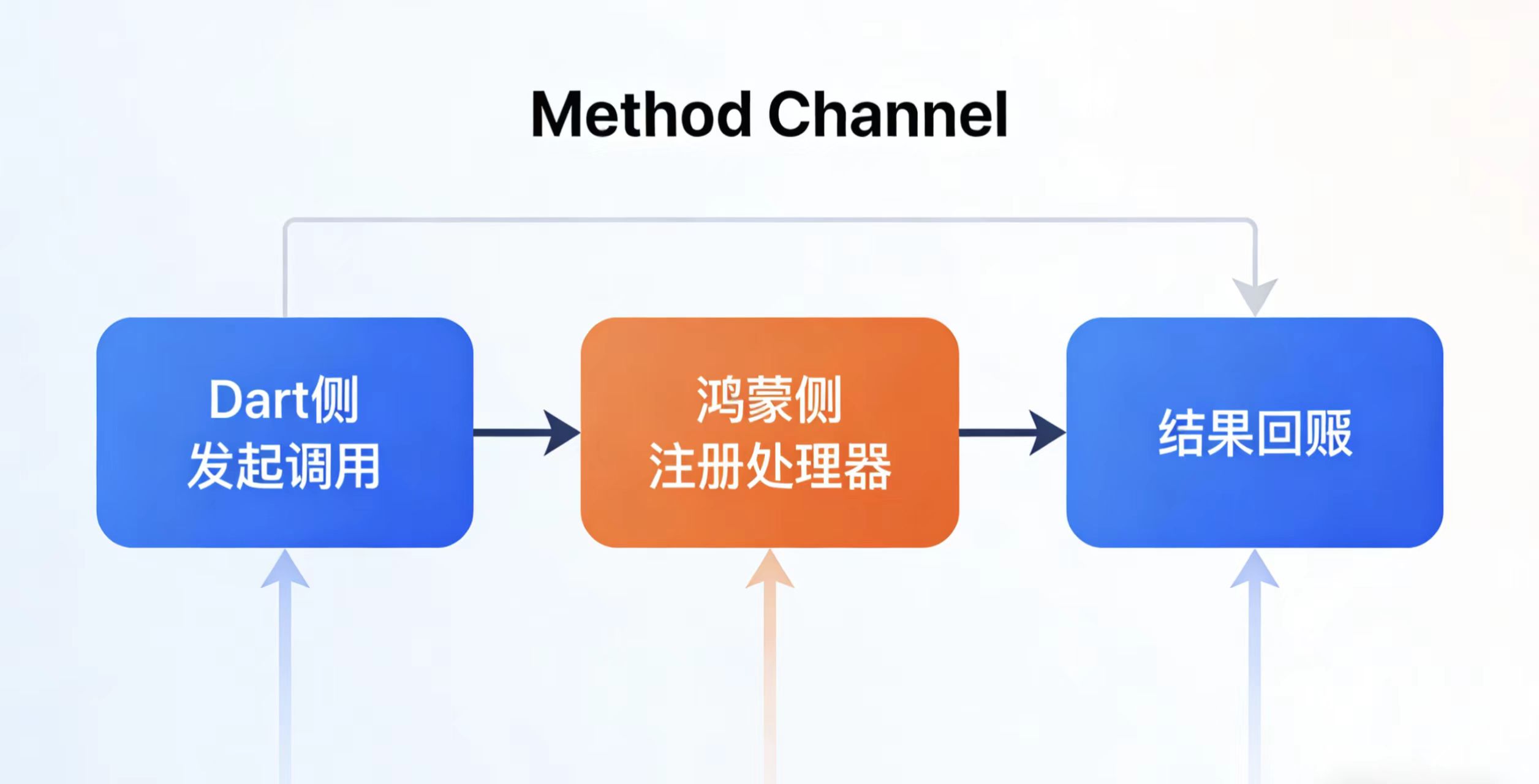
基本概念与架构
MethodChannel 是 Flutter 与原生平台(如 Android/iOS)进行通信的核心机制,开源鸿蒙(OpenHarmony)通过类似方式实现跨语言调用。其核心基于消息传递机制,Flutter 通过 Dart 代码调用原生方法,或接收原生回调。
通信架构组成
- Dart 层:提供 MethodChannel API 供开发者调用
- C++ 引擎层:处理跨语言消息编解码
- 平台层:Android/iOS/OpenHarmony 原生实现
鸿蒙系统中的实现细节
在鸿蒙系统中,MethodChannel 的底层实现依赖于 Native API 桥接机制。Dart 层通过 BinaryMessenger 发送二进制消息,鸿蒙侧通过 Ability 或 Service 接收并处理请求。
鸿蒙特有实现特点
- 使用
ohos.ace.adapter包提供的桥接接口 - 消息序列化采用 JSON 格式
- 支持同步和异步两种调用模式
- 线程模型基于鸿蒙的任务分发机制
完整通信流程
通信流程分为三个关键步骤:
1. Dart 侧发起调用
// 创建MethodChannel实例
const channel = MethodChannel('com.example/native_channel');

// 调用原生方法
try {
  final result = await channel.invokeMethod('getDeviceInfo');
  print('Received: $result');
} catch (e) {
  print('Error: ${e.message}');
}
- 方法名:标识要调用的原生功能
- 参数:支持基本类型、List 和 Map
- 异步等待结果返回
2. 鸿蒙侧注册处理器
在鸿蒙的 EntryAbility 中实现 MethodCallHandler 处理请求:
public class MainAbility extends Ability {
    @Override
    public void onStart(Intent intent) {
        super.onStart(intent);

        // 注册MethodChannel处理器
        MethodChannel channel = new MethodChannel(getAbilityContext(), "com.example/native_channel");
        channel.setMethodCallHandler((methodCall, result) -> {
            switch (methodCall.method) {
                case "getDeviceInfo":
                    // 处理业务逻辑
                    String deviceId = getDeviceId();
                    result.success(deviceId);
                    break;
                default:
                    result.notImplemented();
            }
        });
    }

    private String getDeviceId() {
        // 获取设备信息的原生实现
        return DeviceInfoManager.getDeviceId();
    }
}
3. 结果回调处理
鸿蒙处理完成后通过 Result 对象返回数据到 Dart 层:
- 成功回调:
result.success(data) - 错误回调:
result.error(code, message, details) - 未实现:
result.notImplemented()
典型应用场景
-
设备功能调用
- 获取设备信息(IMEI、MAC地址等)
- 调用传感器(陀螺仪、加速度计)
-
平台服务集成
- 支付功能(微信/支付宝SDK)
- 地图服务(定位、导航)
-
性能敏感操作
- 图像处理
- 大数据计算
-
系统级功能
- 通知管理
- 后台服务
Flutter 侧代码实现
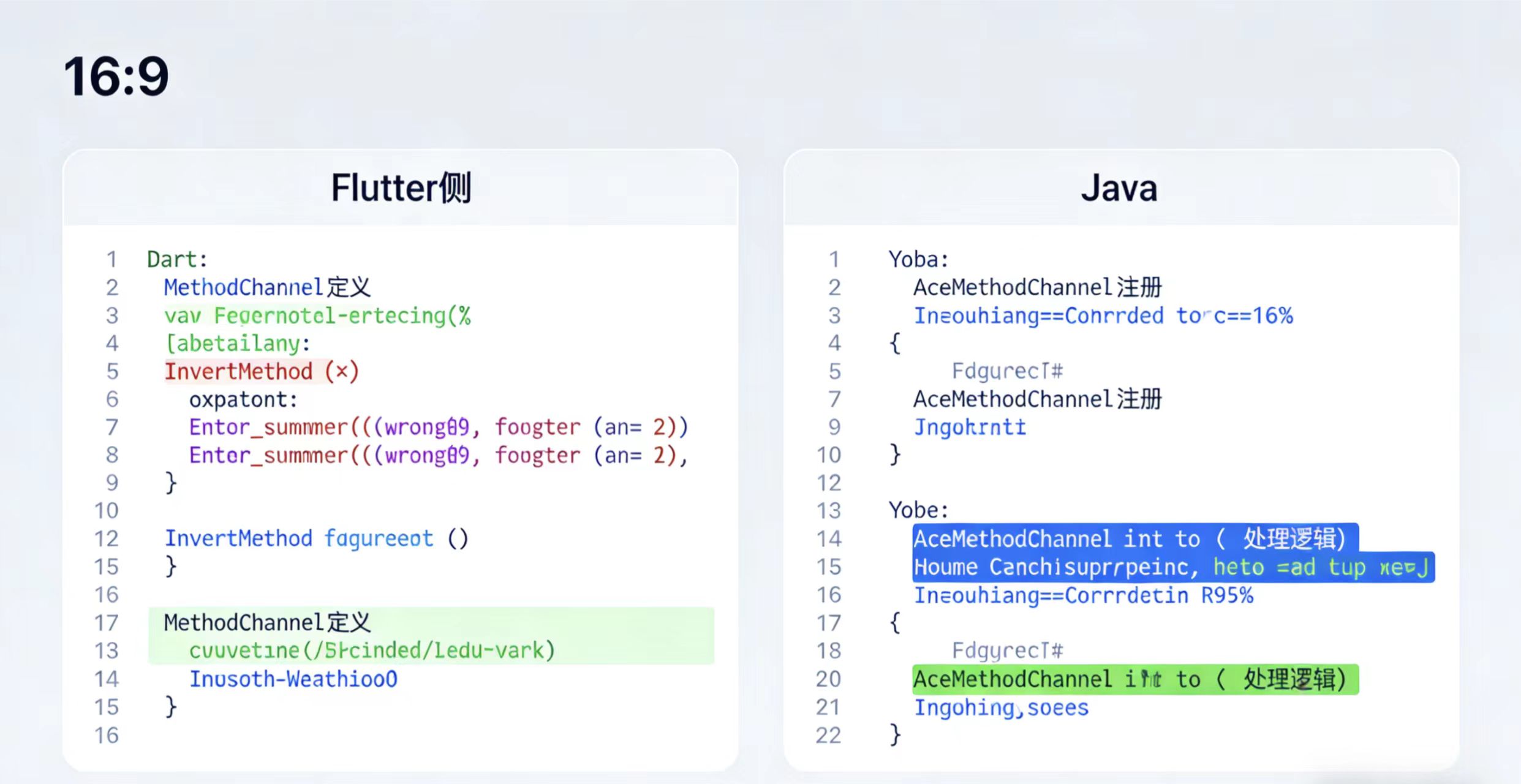
在 Flutter 中实现与鸿蒙系统的原生交互,需要使用 MethodChannel 建立通信桥梁。以下是详细的实现步骤和注意事项:
- 通道声明与初始化:
import 'package:flutter/services.dart';

// 定义 Channel 名称(需与鸿蒙侧严格匹配)
// 建议采用反向域名格式保证唯一性,如:'com.公司名.项目名/功能名'
const _channel = MethodChannel('com.example/flutter_harmony');
- 方法调用实现:
// 获取鸿蒙设备信息的示例方法
Future<String> getHarmonyDeviceInfo() async {
  try {
    // 调用原生方法,'getDeviceInfo'需与鸿蒙侧定义的方法名一致
    final String result = await _channel.invokeMethod('getDeviceInfo');
    return result;
  } on PlatformException catch (e) {
    // 异常处理,建议记录详细错误信息
    debugPrint('Method call failed: ${e.message}');
    return "Failed: ${e.message}";
  }
}
- 使用场景示例:
- 调用鸿蒙特有的硬件功能(如传感器)
- 获取系统特有信息(如鸿蒙版本号)
- 执行性能敏感的原生操作
- 注意事项:
- 通道名称必须与鸿蒙侧完全一致(包括大小写)
- 方法调用是异步的,需要使用await处理
- 建议为每个功能模块创建独立的Channel
- 复杂的参数传递可以使用JSON格式序列化
- 扩展建议:
// 带参数的方法调用示例
Future<bool> setHarmonySetting(String key, dynamic value) async {
  try {
    return await _channel.invokeMethod(
      'setSetting',
      {'key': key, 'value': value},
    );
  } on PlatformException catch (e) {
    debugPrint('Set setting failed: ${e.message}');
    return false;
  }
}
完整调用流程应该是双向的,鸿蒙侧也需要注册对应的Channel和处理方法。建议在项目文档中记录所有定义的Channel和方法,方便团队协作维护。
开源鸿蒙侧代码实现
鸿蒙侧需在 EntryAbility 中注册 MethodCallHandler,处理来自 Flutter 的请求:
import ohos.ace.ability.AceAbility;
import ohos.ace.ability.AceMethodChannel;
import ohos.app.AbilityContext;

public class EntryAbility extends AceAbility {
    @Override
    public void onStart(Intent intent) {
        super.onStart(intent);

        // 注册 MethodChannel
        new AceMethodChannel(getContext(), "com.example/flutter_harmony")
            .setMethodCallHandler((methodCall, result) -> {
                if (methodCall.getMethod().equals("getDeviceInfo")) {
                    String deviceInfo = getHarmonyDeviceInfo();
                    result.success(deviceInfo);
                } else {
                    result.notImplemented();
                }
            });
    }

    private String getHarmonyDeviceInfo() {
        // 返回鸿蒙设备信息
        return "OpenHarmony Device";
    }
}
 数据传输格式与序列化详解
MethodChannel 支持跨平台数据交互时的自动序列化机制,其核心功能包括:
- 基础数据类型支持
- 原生支持的数据类型包括:
- 数值类型:int(32位)、double(64位)
- 字符串类型:String(UTF-8编码)
- 集合类型:List(有序数组)、Map(键值对字典)
- 布尔类型:bool(true/false)
- 复杂对象处理方案 对于自定义类等复杂对象,需要通过以下方式转换:
- 推荐使用JSON作为中间格式
- 序列化流程:
- 对象 → JSON字符串(Dart侧使用jsonEncode)
- JSON字符串 → 原生对象(平台侧解析)
- 反向流程同理
- 实际应用示例 Dart 侧传递结构化数据的完整流程:
// 1. 准备要传递的数据
Map<String, dynamic> flutterInfo = {
  'name': 'Flutter',
  'version': 3.0,
  'features': ['hot-reload', 'widgets'],
  'isProduction': false
};

// 2. 通过MethodChannel发送
final response = await _channel.invokeMethod(
  'submitData',  // 方法名称
  flutterInfo    // 传递的数据
);

// 3. 处理平台返回结果
if (response != null) {
  print('Platform response: $response');
}
- 各平台对应处理
- Android端:接收为HashMap<String, Object>
- iOS端:接收为NSDictionary
- 建议在各平台添加类型检查和安全访问逻辑
鸿蒙侧解析 Map 数据:
if (methodCall.getMethod().equals("submitData")) {
    Map<String, Object> data = methodCall.getArguments();
    String name = (String) data.get("name");
    double version = (double) data.get("version");
}
异步通信与异常处理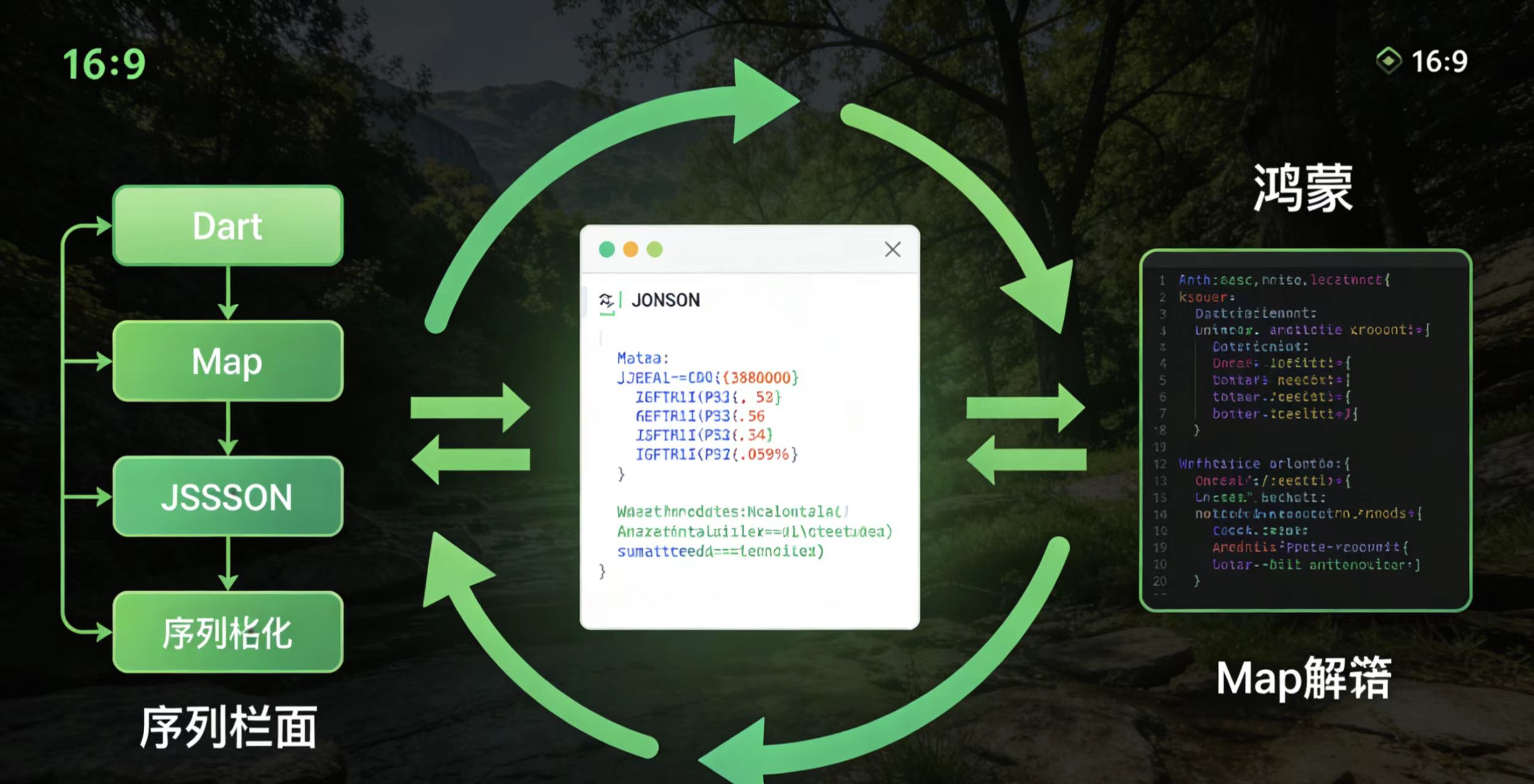
Dart 侧的 invokeMethod 返回 Future,需通过 async/await 处理异步结果。鸿蒙侧通过 Result 对象返回成功或错误:
鸿蒙侧返回错误:
result.error("UNSUPPORTED", "Method not implemented", null);
Dart 侧捕获异常:
try {
  await _channel.invokeMethod('unknownMethod');
} on PlatformException catch (e) {
  print("Error: ${e.code}, ${e.message}");
}
性能优化与最佳实践
通道名称唯一性
在 Flutter 与鸿蒙(HarmonyOS)的混合开发中,通道名称必须严格保持一致,这是通信成功的前提条件。建议:
- 使用常量定义通道名称,避免拼写错误
- 遵循命名规范,如
com.example.app/channel_name - 在 Flutter 侧(
MethodChannel构造)和鸿蒙侧(FlutterMethodChannel构造)使用完全相同的字符串
减少频繁调用
对于高频通信场景(如实时数据传输、频繁状态更新),建议:
- 优先使用
EventChannel替代MethodChannel EventChannel通过事件流(Stream)机制实现高效通信- 典型应用场景:
- 传感器数据传递
- 实时位置更新
- 持续状态监控
主线程限制
鸿蒙侧处理耗时操作时的注意事项:
- 所有耗时操作(超过16ms)必须切换到子线程
- 主线程阻塞会导致界面卡顿甚至ANR
- 推荐做法:
TaskDispatcher dispatcher = getGlobalTaskDispatcher(TaskPriority.DEFAULT);
dispatcher.asyncDispatch(() -> {
    // 耗时操作代码
});
完整案例:双向通信实现
Dart 侧监听鸿蒙事件
在 Flutter 中设置方法调用处理器,监听来自鸿蒙的事件:
// 创建方法通道
const _channel = MethodChannel('com.example.app/communication');

// 设置方法调用处理器
_channel.setMethodCallHandler((call) async {
  switch (call.method) {
    case "harmonyEvent":
      print("Received event from HarmonyOS: ${call.arguments}");
      // 处理事件逻辑
      break;
    case "dataUpdate":
      // 处理数据更新
      _handleDataUpdate(call.arguments);
      break;
    default:
      print('Unknown method ${call.method}');
  }
});

// 发送数据到鸿蒙侧
Future<void> sendToHarmony(dynamic data) async {
  try {
    await _channel.invokeMethod('flutterToHarmony', data);
  } on PlatformException catch (e) {
    print("Failed to send: ${e.message}");
  }
}
鸿蒙侧对应实现
// 创建FlutterMethodChannel
FlutterMethodChannel channel = new FlutterMethodChannel(
    flutterEngine.getDartExecutor(),
    "com.example.app/communication"
);

// 设置方法调用处理器
channel.setMethodCallHandler((call, result) -> {
    switch (call.method) {
        case "flutterToHarmony":
            // 处理来自Flutter的调用
            handleFlutterCall(call.arguments);
            result.success(null);
            break;
        default:
            result.notImplemented();
    }
});

// 发送事件到Flutter侧
public void sendToFlutter(Object data) {
    new Handler(Looper.getMainLooper()).post(() -> {
        channel.invokeMethod("harmonyEvent", data, new MethodChannel.Result() {
            @Override
            public void success(Object result) {
                // 调用成功处理
            }

            @Override
            public void error(String errorCode, String errorMessage, Object errorDetails) {
                // 错误处理
            }

            @Override
            public void notImplemented() {
                // 方法未实现
            }
        });
    });
}
这个完整案例展示了双向通信的实现方式,包括:
- Flutter 监听鸿蒙事件
- Flutter 主动调用鸿蒙方法
- 鸿蒙监听 Flutter 调用
- 鸿蒙主动发送事件到 Flutter
- 完善的错误处理机制
鸿蒙侧主动通知 Dart:
AceMethodChannel channel = new AceMethodChannel(context, "com.example/flutter_harmony");
channel.invokeMethod("harmonyEvent", "Event from Harmony");
通过上述实现,Flutter 与开源鸿蒙可实现高效、稳定的跨平台通信。欢迎大家加入[开源鸿蒙跨平台开发者社区](https://openharmonycrossplatform.csdn.net),一起共建开源鸿蒙跨平台生态。

社区规范:仅讨论OpenHarmony相关问题。
更多推荐
 33
33 0
0- 0


 已为社区贡献8条内容

所有评论(0)