【OpenHarmony】网络文件工具库:xutils
·
往期推文全新看点(文中附带全新鸿蒙5.0全栈学习笔录)
✏️ 鸿蒙应用开发与鸿蒙系统开发哪个更有前景?
✏️ 嵌入式开发适不适合做鸿蒙南向开发?看完这篇你就了解了~
✏️ 对于大前端开发来说,转鸿蒙开发究竟是福还是祸?
✏️ 鸿蒙岗位需求突增!移动端、PC端、IoT到底该怎么选?
✏️ 市场巨变,移动开发行业即将迎来“第二春”?
✏️ 记录一场鸿蒙开发岗位面试经历~
✏️ 持续更新中……
简介
xutils是一个网络、文件、数据库操作的工具库。
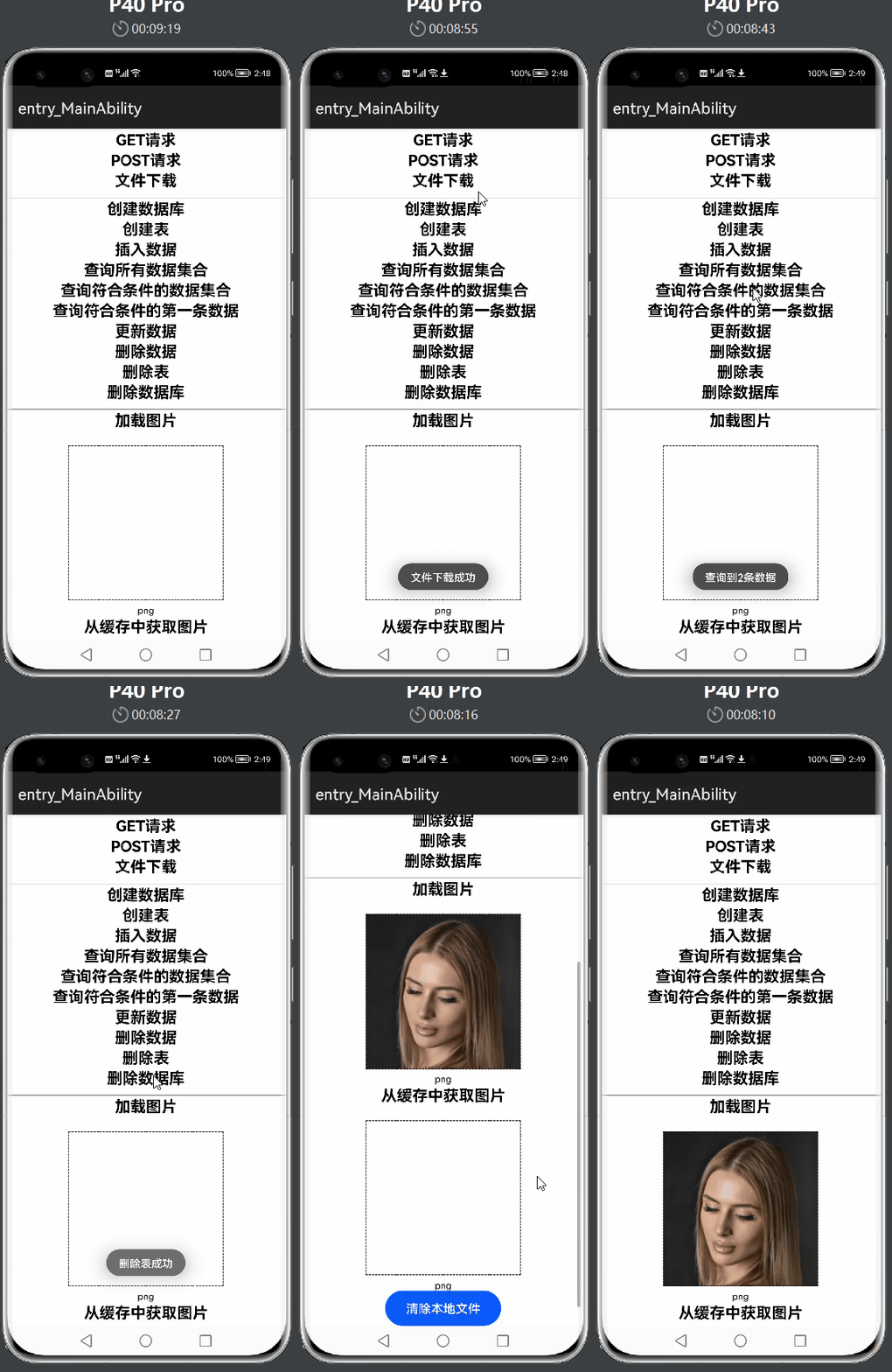
下载安装
ohpm install @ohos/xutils
使用说明
- 引入依赖
  import { HttpUtils } from '@ohos/xutils/'
  import { HttpMethod } from '@ohos/xutils/'
  import { RequestCallBack } from '@ohos/xutils/'
  import { RequestParams } from '@ohos/xutils/'
  import { ResponseInfo } from '@ohos/xutils/'
  import { DbUtils } from '@ohos/xutils/'
  import { DaoConfig } from '@ohos/xutils/'
  import { QueryCallBack } from '@ohos/xutils/'
  import { Selector } from '@ohos/xutils/'
  import { BitmapUtils } from '@ohos/xutils/'
  import { BitmapLoadCallBack } from '@ohos/xutils/'
- 网络请求
  //添加Header
  @State requestParams: RequestParams = new RequestParams();
  this.requestParams.addHeader("Content-Type", "application/json");
  //添加传递参数
  this.requestParams.addQueryStringParameter("key", "397c9db4cb0621ad0313123dab416668");
  this.requestParams.addQueryStringParameter("city", "北京");
  //GET请求
  new HttpUtils().send(HttpMethod.GET,
           "http://apis.juhe.cn/simpleWeather/query?key=397c9db4cb0621ad0313123dab416668&city=北京",
           new HttpCallBack())
  //POST请求
  new HttpUtils().sendParams(HttpMethod.POST,
           "http://apis.juhe.cn/simpleWeather/query",
           this.requestParams,
           new HttpCallBack())
- 文件下载
new HttpUtils().download('https://5b0988e595225.cdn.sohucs.com/images/20200206/3ed7fb3b096f4c2b9d66bd65baaa6c0e.jpeg',
           '/hsh.jpeg', null)
- 数据库操作
//创建数据库
this.db = DbUtils.create(this.config);
//创建表
this.config.setDbName(this.dbName)
this.config.setTableName(this.tableName)
this.config.setCreateTableSql("ID INTEGER PRIMARY KEY AUTOINCREMENT, NAME TEXT NOT NULL, AGE INTEGER, SALARY REAL, CODES BLOB")
this.db.createTableIfNotExist();
//插入数据
const valueBucket = {
           "NAME": "Lisa",
           "AGE": 18,
           "SALARY": 100.5,
           // @ts-ignore
           "CODES": new Uint8Array([1, 2, 3, 4, 5]),
         };
this.db.save(valueBucket)
//查询数据
this.db.findAll(Selector.from(this.tableName, this.queryColumns), new DbCallBack());
this.db.findAll(Selector.from(this.tableName, this.queryColumns)
           .where("NAME", "equalTo", "Lisa").and("AGE", "equalTo", 18), new DbCallBack());
this.db.findFirst(Selector.from(this.tableName, this.queryColumns)
           .where("NAME", "equalTo", "Rose"), new DbCallBack());
//更新数据
this.db.update(valueBucket, Selector.from(this.tableName, this.queryColumns)
           .where("NAME", "equalTo", "Rose"));
//删除数据
this.db.delete(Selector.from(this.tableName, this.queryColumns)
           .where("NAME", "equalTo", "Rose"));
//删除数据库
this.db.dropDb();
接口说明
- get请求
HttpUtils.send() - post请求
HttpUtils.sendParams() - 文件下载
HttpUtils.download() - 设置数据库名称
DaoConfig.setDbName() - 设置表名称
DaoConfig.setTableName() - 查询数据
DbUtils.findAll() - 更新数据
DbUtils.update()
目录结构
|---- xutils
      |---- entry  # 示例代码文件夹
         |----entity
         |----pages
      |---- library  # xutils库文件夹
         |----src
            |----main
               |----ets
                      |---- bitmap  # 图片操作实现
                      |---- cache  # 缓存实现
                      |---- db  # 数据库操作实现
                      |---- http  # 网络请求操作实现
                      |---- task  # 任务实现
                      |---- ts-md5  # 加密实现
                      |---- util  # 工具类实现
                      |---- BitmapUtils.ets  # 图片缓存对外类
                      |---- DbUtils.ets  # 数据库操作对外类
                      |---- HttpUtils.ets  # 网络请求操作对外类
                      |---- index.ets  # 对外接口
      |---- README.md  # 安装使用方法
      |---- README_zh.md  # 安装使用方法


社区规范:仅讨论OpenHarmony相关问题。
更多推荐
 8
8 0
0- 0


 已为社区贡献216条内容

所有评论(0)