【OpenHarmony】鸿蒙开发之AppAuth-js
本文介绍了OAuth 2.0、OpenID Connect和MSAL在鸿蒙应用开发中的集成方法。主要内容包括:1)通过@openid/appauth库实现OAuth认证,需配置服务器SSL证书和应用信息;2)使用MSAL库获取微软平台令牌,需在Azure注册应用并初始化配置;3)两种方案均需在ArkTS工程中配置Web组件和JavaScript交互。文章还提供了效果演示、安装说明和具体配置步骤,帮
·
往期推文全新看点(文中附带全新鸿蒙5.0全栈学习笔录)
✏️ 鸿蒙应用开发与鸿蒙系统开发哪个更有前景?
✏️ 嵌入式开发适不适合做鸿蒙南向开发?看完这篇你就了解了~
✏️ 对于大前端开发来说,转鸿蒙开发究竟是福还是祸?
✏️ 鸿蒙岗位需求突增!移动端、PC端、IoT到底该怎么选?
✏️ 市场巨变,移动开发行业即将迎来“第二春”?
✏️ 记录一场鸿蒙开发岗位面试经历~
✏️ 持续更新中……
简介
- OAUTH
此库可使用OAuth 2.0和OpenID Connect对用户进行身份验证和授权,它还支持对OAuth 的PKCE扩展
- MSAL
借助此库,开发人员能够从 Microsoft 标识平台获取令牌,以便对用户进行身份验证并访问受保护的 Web API。 它可用于提供对 Microsoft Graph、其他 Microsoft API、第三方 Web API 或你自己的 Web API 的安全访问。
效果演示
- MSAL
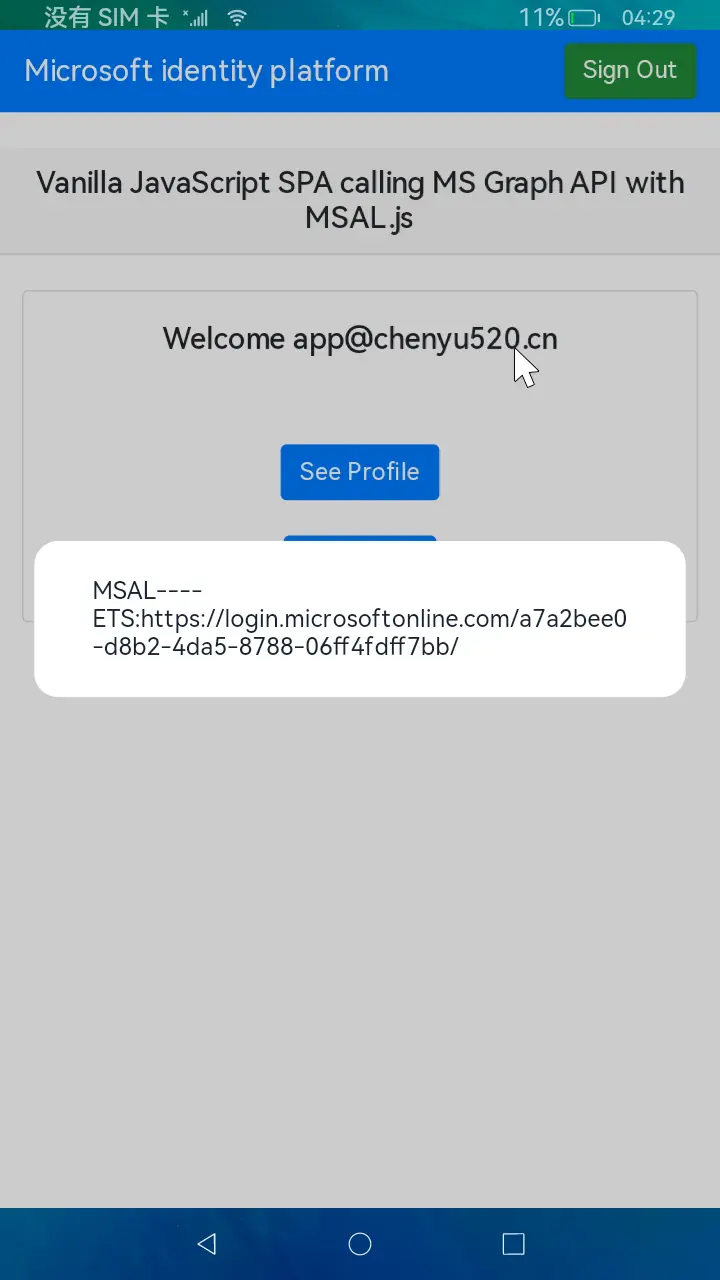
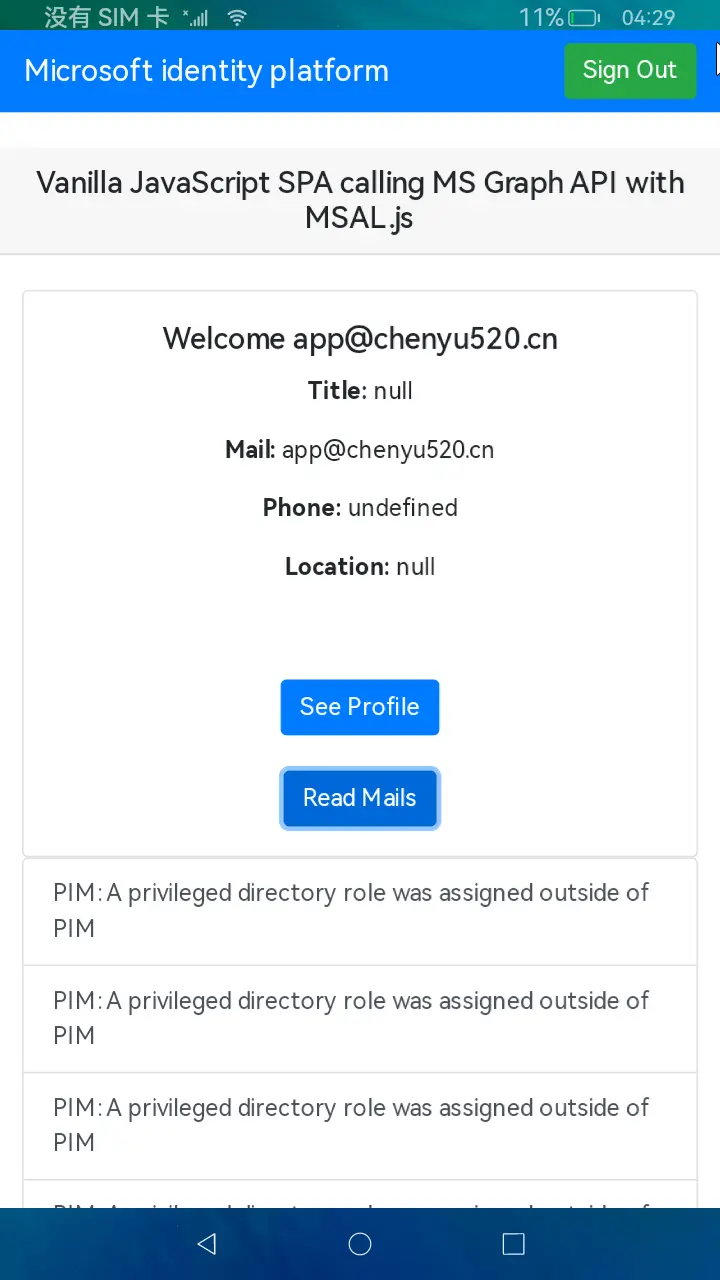
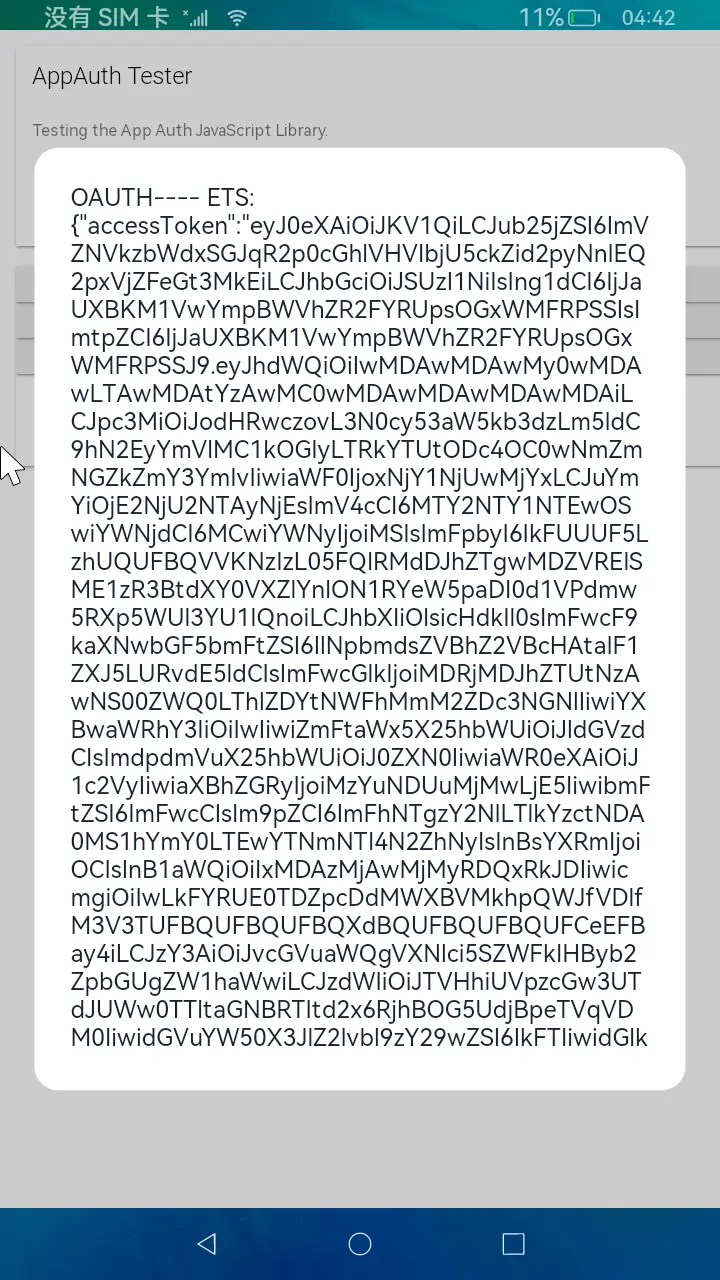
- OAUTH
下载安装
- OAUTH
npm install @openid/appauth
- MSAL
- node方式安装
npm install @azure/msal-browser
- 使用CDN引入
<script type="text/javascript" src="https://alcdn.msauth.net/browser/2.30.0/js/msal-browser.min.js"></script>
使用说明
- OAUTH
1.网站配置
将@openid/appauth路径下的app与built文件上传到服务器,使用node或者Nginx挂载网站

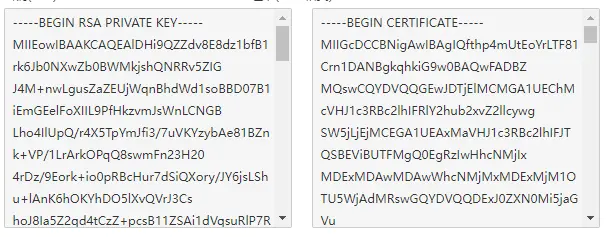
将域名解析到该站点,并给网站申请配置SSL证书,否则会造成跨域错误
2.配置应用信息
2.1 在built/app/bundle.js中配置,如下所示(此处配置地址以微软Azure平台为例):
var openIdConnectUrl = 'https://login.microsoftonline.com/a7a2bee0-d8b2-4da5-8788-06ff4fdff7bb/v2.0';

var clientId = '04c02ae5-7005-4ed4-8ed6-5aa2c6d774ce';

var redirectUri = 'https://test2.chenyu520.cn/app/redirect.html';
3.配置ArkTs工程
3.1 在entry/src/main 目录下配置module.json5文件
 "requestPermissions": [
      {
        "name": 'ohos.permission.INTERNET'
      }
    ]
3.2 使用Web组件引用上面配置好的网站地址
  Web({ src: 'https://test2.chenyu520.cn', controller: this.controller })
    .javaScriptAccess(true)
    .domStorageAccess(true)
    .mixedMode(this.mode)
    .onConsole((event) => {
      console.log('getMessage:' + event.message.getMessage());
      return false;
    });
3.3 在bundle.js令牌响应结果中添加方法
window.objName.test(JSON.stringify(response));
3.4 在ArkTs中接收结果
   testObj = {
    test: (data) => {
      prompt.showDialog({message:'Web---- ArkTs:' + data})
      prompt.showDialog({message:'Web---- ArkTs tokenType:' + JSON.parse(data).tokenType})
      return data;
    }
  }

  onPageShow() {
    this.controller.registerJavaScriptProxy({
      object: this.testObj,
      name: "objName",
      methodList: ["test"],
    });
    this.controller.refresh()
  }
- MSAL
注意:服务器需有node环境支持
1.网站配置
将node_app上传到服务器,使用npm start启动服务,将域名解析到对应站点,并申请SSL证书(必备,否则PKCE过不去)
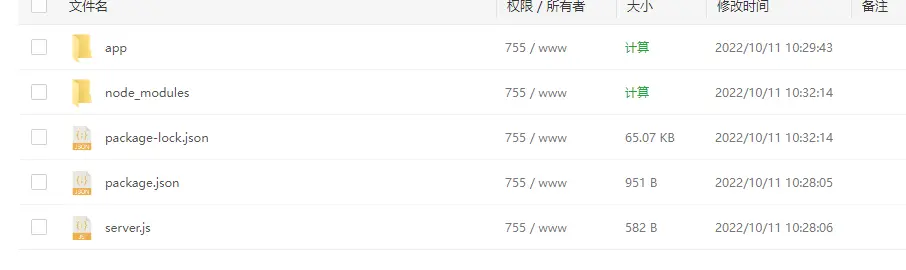
2.配置应用信息(此处以Azure平台为例)
2.1 在Azure平台完成应用注册
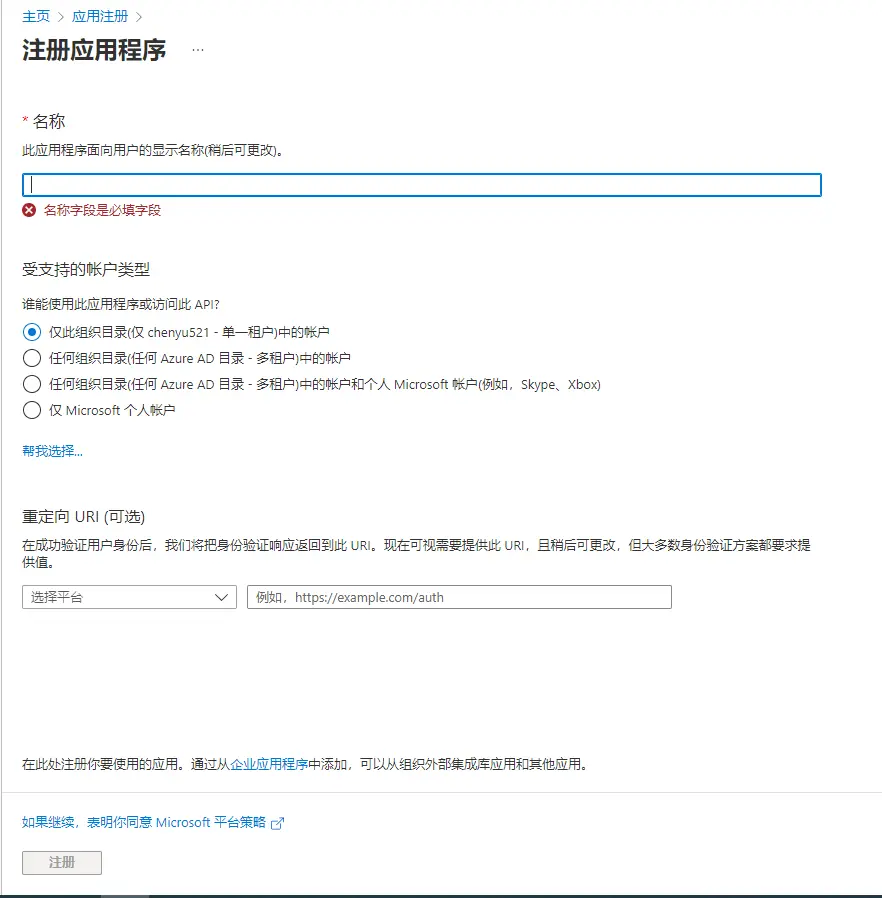
重定向URL选择单页应用程序,地址为:node_app所运行页面域名(一定要为https)
2.1 初始化MSAL对象
在app/authConfig.js中配置验证服务器相关信息,如下所示(此处配置地址以微软Azure平台为例)
const msalConfig = {
    auth: {
        clientId: "0df059c0-5ee9-484b-82e4-6da77db41fa8",  			//此处为应用注册完成后的应用程序id
        authority: "https://login.microsoftonline.com/a7a2bee0-d8b2-4da5-8788-06ff4fdff7bb", 	//此处https://login.microsoftonline.com/租户id值
        redirectUri: "https://test.chenyu520.cn",	//此处为重定向URI
    },
    cache: {
        cacheLocation: "sessionStorage",
        storeAuthStateInCookie: false,
    },
    system: {
        loggerOptions: {
            loggerCallback: (level, message, containsPii) => {
                if (containsPii) {
                    return;
                }
                switch (level) {
                    case msal.LogLevel.Error:
                        console.error(message);
                        return;
                    case msal.LogLevel.Info:
                        console.info(message);
                        return;
                    case msal.LogLevel.Verbose:
                        console.debug(message);
                        return;
                    case msal.LogLevel.Warning:
                        console.warn(message);
                        return;
                }
            }
        }
    }
};
const loginRequest = {
    scopes: ["User.Read"]
};
const tokenRequest = {
    scopes: ["User.Read", "Mail.Read"],
    forceRefresh: false // Set this to "true" to skip a cached token and go to the server to get a new token
};
初始化对象
const msalInstance = new msal.PublicClientApplication(msalConfig);
2.2 用户登录
var loginRequest = {
    scopes: ["user.read", "mail.send"] // optional Array<string>
};

try {
    msalInstance.loginRedirect(loginRequest);
} catch (err) {
    // handle error
}
2.3 获取令牌以及使用令牌
- 请求令牌
var request = {
    scopes: ["Mail.Read"],
    cacheLookupPolicy: CachePolicyLookup.Default
};

msalInstance.acquireTokenSilent(request).then(tokenResponse => {
    // Do something with the tokenResponse
}).catch(error => {
    if (error instanceof InteractionRequiredAuthError) {
        return msalInstance.acquireTokenRedirect(request)
    }
});
- 使用令牌
var headers = new Headers();
var bearer = "Bearer " + tokenResponse.accessToken;
headers.append("Authorization", bearer);
var options = {
        method: "GET",
        headers: headers
};
var graphEndpoint = "https://graph.microsoft.com/v1.0/me";

fetch(graphEndpoint, options)
    .then(resp => {
            //do something with response
    });
- 续订令牌
var username = "test@contoso.com";
var currentAccount = msalInstance.getAccountByUsername(username);
var silentRequest = {
    scopes: ["Mail.Read"],
    account: currentAccount,
    forceRefresh: false
};

var request = {
    scopes: ["Mail.Read"],
    loginHint: currentAccount.username
};

const tokenResponse = await msalInstance.acquireTokenSilent(silentRequest).catch(error => {
    if (error instanceof InteractionRequiredAuthError) {
        return msalInstance.acquireTokenRedirect(request)
    }
});
2.4 注销登录
const currentAccount = msalInstance.getAccountByHomeId(homeAccountId);
await msalInstance.logoutRedirect({
    account: currentAccount,
    postLogoutRedirectUri: "https://contoso.com/loggedOut"
});
接口说明
- MSAL
- loginRedirect 此接口用于重定向发起登录请求
- acquireTokenSilent 此接口用于请求令牌
- logoutRedirect 此接口用于注销登录
- OAUTH
- checkForAuthorizationResponse 检查授权响应
- fetchServiceConfiguration 获取终结点配置
- makeAuthorizationRequest 授权请求
- makeTokenRequest 令牌请求
目录结构
|---- OHOS_APP_appauth_js
|     |---- entry  # 示例代码文件夹
|         |---- src
|             |---- main
|                 |---- ets
|                     |---- pages
|                         |---- index.ets
|                         |---- MsalSample.ets # MSAL示例
|                         |---- OAuthSample.ets # OAuth示例
|     |---- README.md  # 安装使用方法


社区规范:仅讨论OpenHarmony相关问题。
更多推荐
 18
18 0
0- 0


 已为社区贡献216条内容

所有评论(0)