

参考文档:https://gitee.com/openharmony/docs/blob/5654c2b940ab3e2f4f0baf435e630c4ef3536428/zh-cn/application-dev/reference/arkui-ts/ts-universal-attributes-component-id.md
定向发送事件
组件标识在文档中一个最重要的能力,就是可以向指定组件发送事件(现在只支持单击click与长按longpress)
sendEventByKey方法可以使用,但在IDE会显示报错,建议@ts-ignore忽略错误
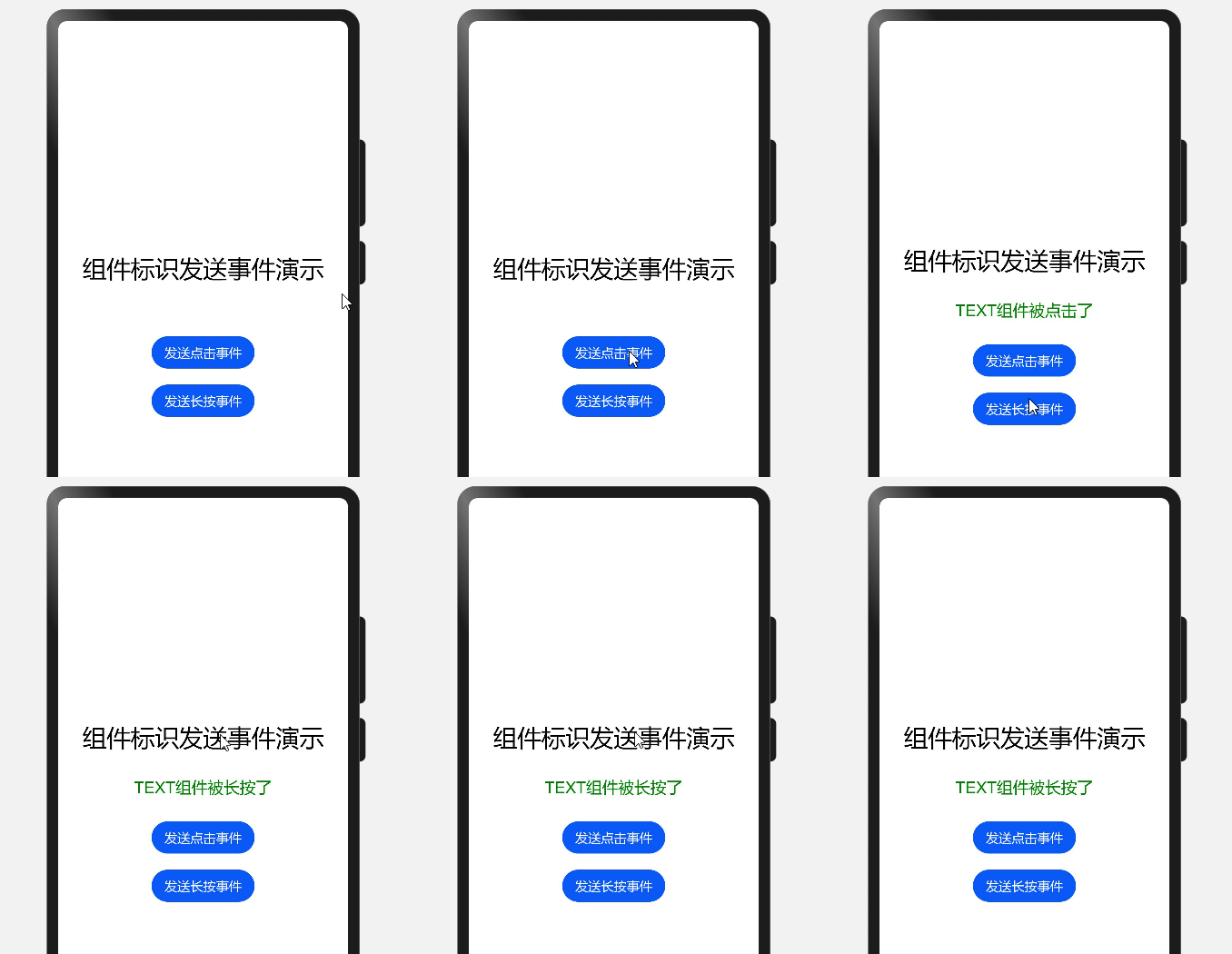
下面是代码演示
@State result: string = ''

build() {
    Flex({
      alignItems: ItemAlign.Center,
      justifyContent: FlexAlign.Center,
      direction: FlexDirection.Column,
    }) {
      Text('组件标识发送事件演示')
        .fontSize(30)
        .margin({ bottom: 30 })
        .id('testComponent')
        .gesture(LongPressGesture().onActionEnd(() => {
          this.result = 'TEXT组件被长按了'
        }))
        .onClick(() => {
          this.result = 'TEXT组件被点击了'
        })

      Text(this.result).fontSize(20).margin({ bottom: 30 }).fontColor(Color.Green)

      Button('发送点击事件').onClick(() => {
        // @ts-ignore
        sendEventByKey("testComponent", 10, "test")
      })
      .margin({ bottom: 20 })

      Button('发送长按事件').onClick(() => {
        // @ts-ignore
        sendEventByKey("testComponent", 11, "test")
      })
    }
    .width('100%')
    .height('100%')
}
这个发送事件有个很奇怪的问题,就是在我理解看来,发送事件就是【直接去执行对应事件绑定的方法】,而不是去模拟这个触发。在发送长按事件时,会出现事件绑定方法执行延迟现象,这在理解上来很奇怪。


 已为社区贡献9条内容

所有评论(0)